
Step 11 of 39Registration & Account Creation
Open the Capital.com registration page
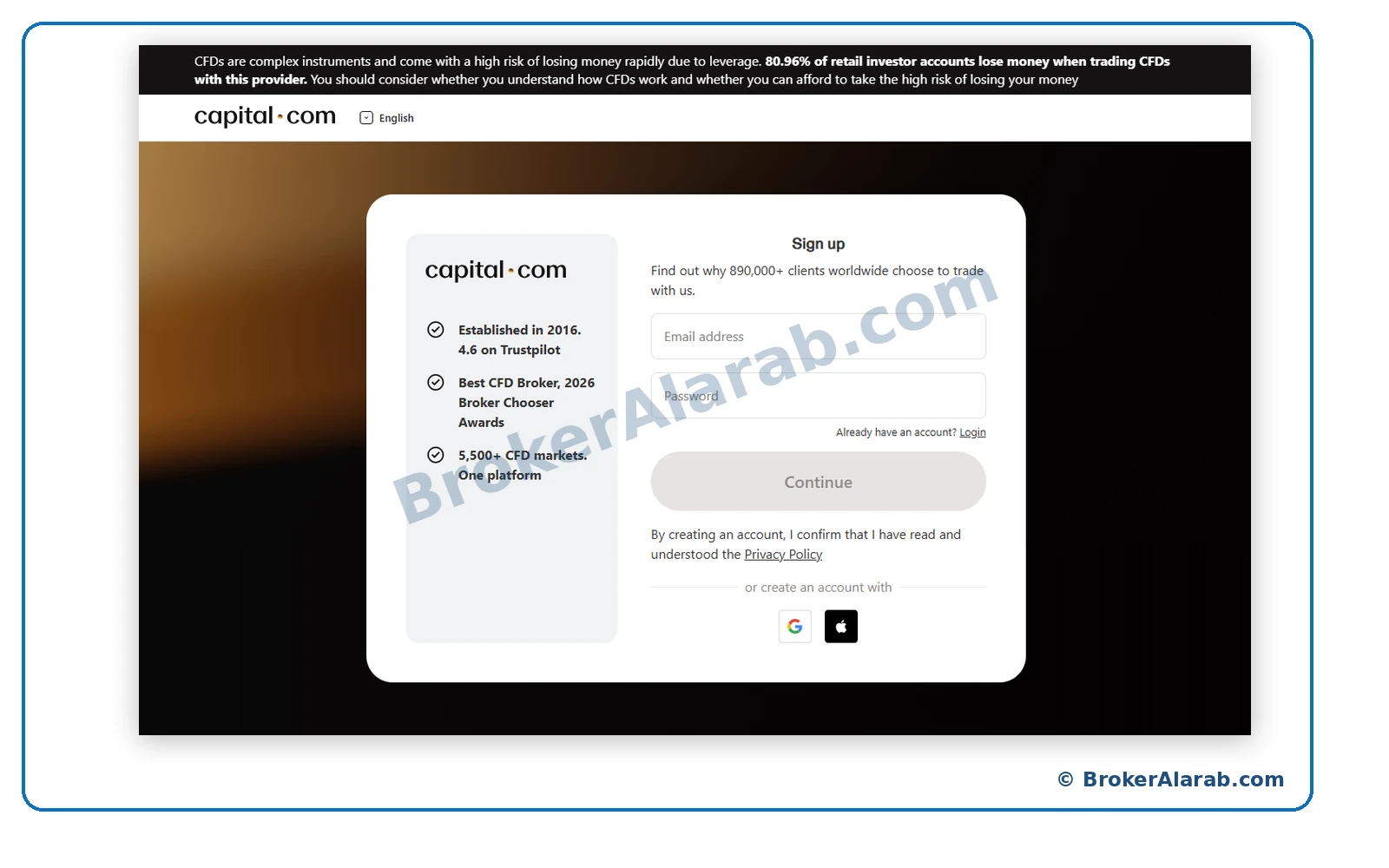
Visit the official Capital.com website and start the account sign-up process. Confirm that you are on the correct website before submitting personal information.
Follow the illustrated Capital.com registration process, from creating an account and confirming your contact details to completing suitability questions, identity verification, and account setup.
Follow the screenshots in sequence and always use accurate personal information during registration and verification.

Capital.com
English Illustrated Guide
Prepare your contact details and identification documents. Always provide accurate information.
Select a stage or follow the illustrated steps in order.
Steps 1–15
Steps 16–26
Steps 27–35
Steps 36–39
ACCOUNT OPENING STAGE
Visit the official Capital.com website and start the account sign-up process. Confirm that you are on the correct website before submitting personal information.
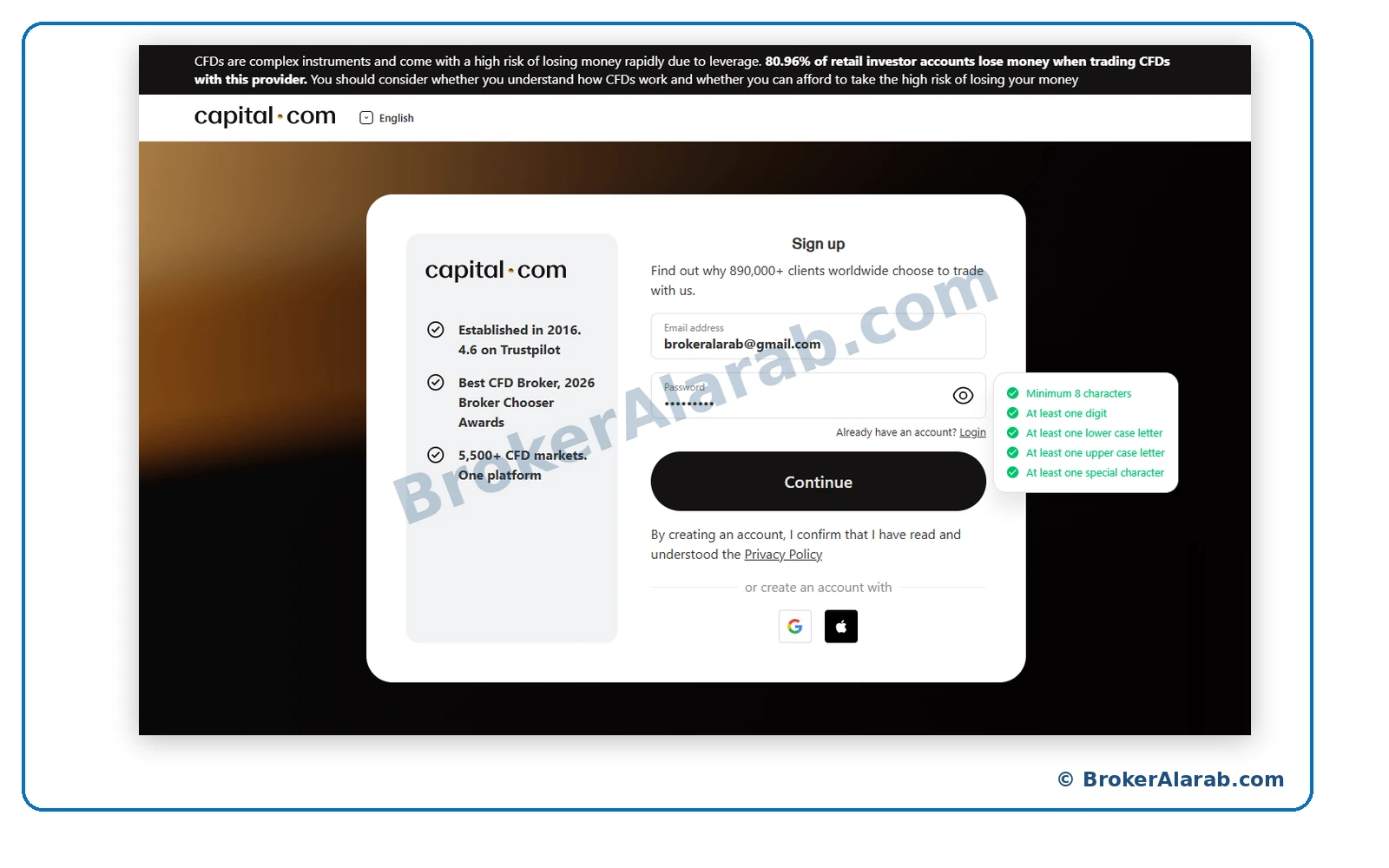
Provide an email address you control and create a strong password that meets the requirements displayed in the form, then continue.
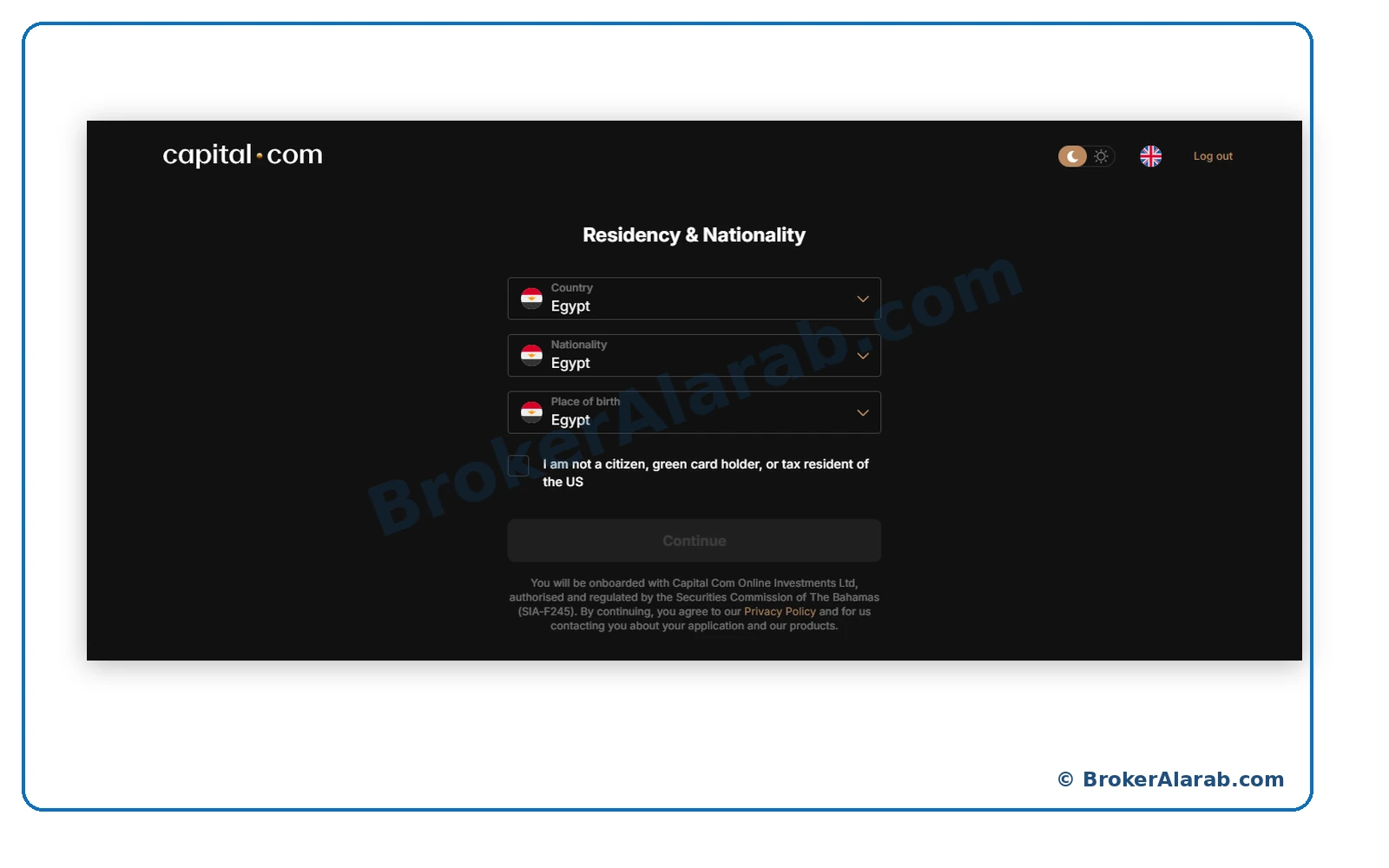
Choose your actual country of residence, nationality, and place of birth as shown on your documents. Egypt is used only as an example in the screenshots.
Read the declaration about US citizenship, green-card status, and tax residency. Answer accurately based on your circumstances rather than selecting a preset response.
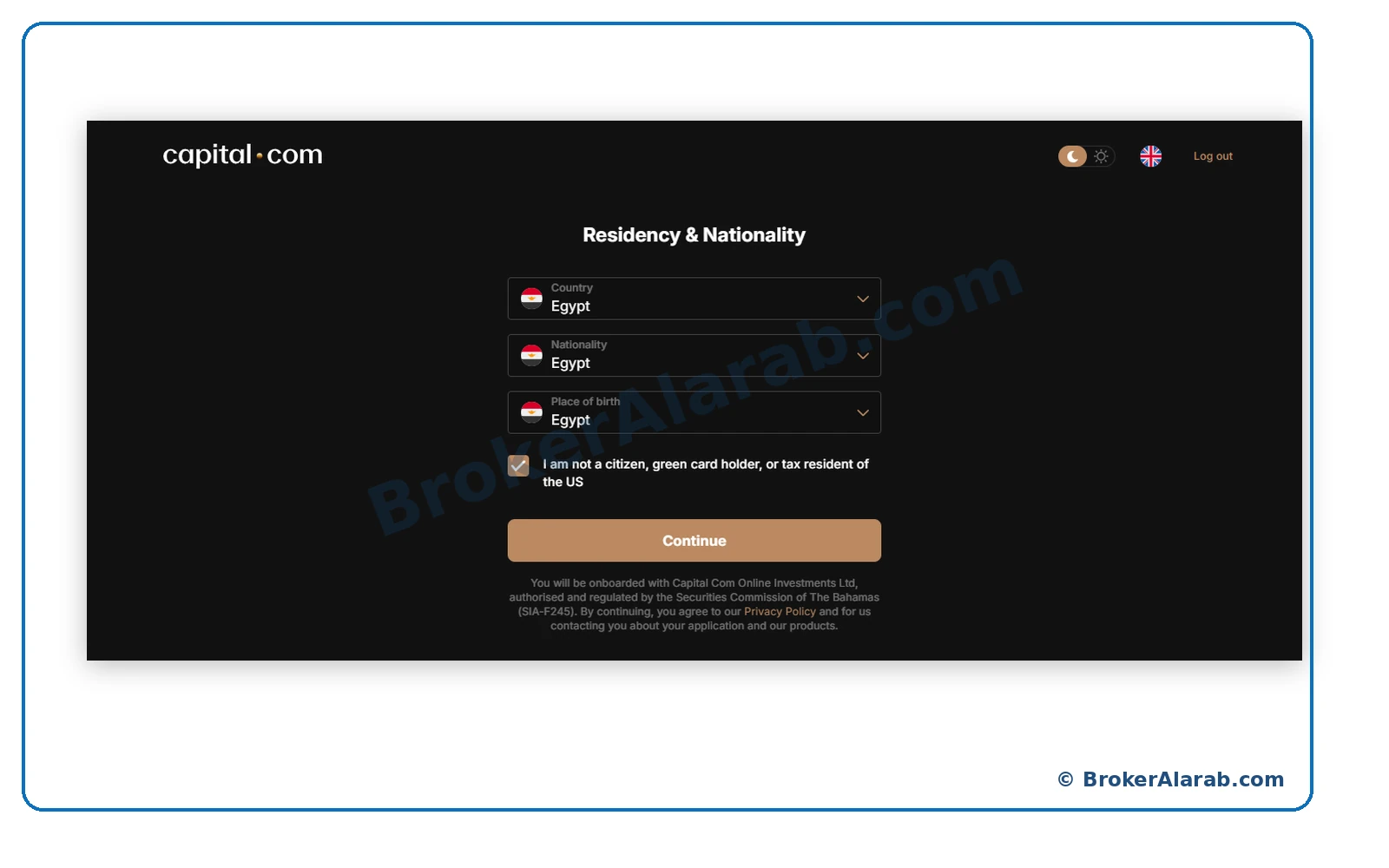
Your tax declaration must reflect your true status.
Do not make a false US tax-status declaration.
Your tax declaration must reflect your true status.
Do not make a false US tax-status declaration.
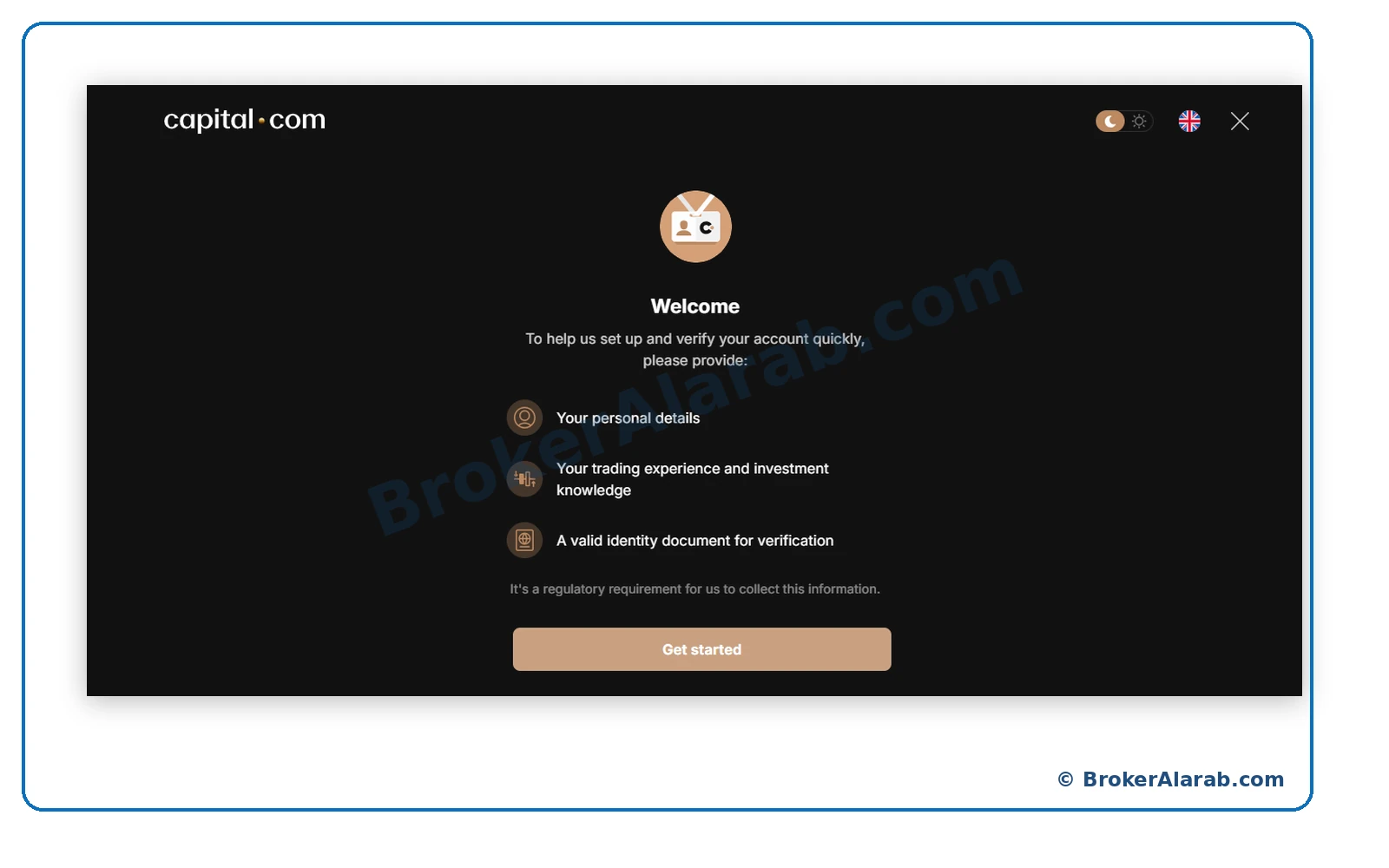
The introduction outlines the information you may need to supply: personal details, trading experience, and identity documentation. Continue to the personal-information form.
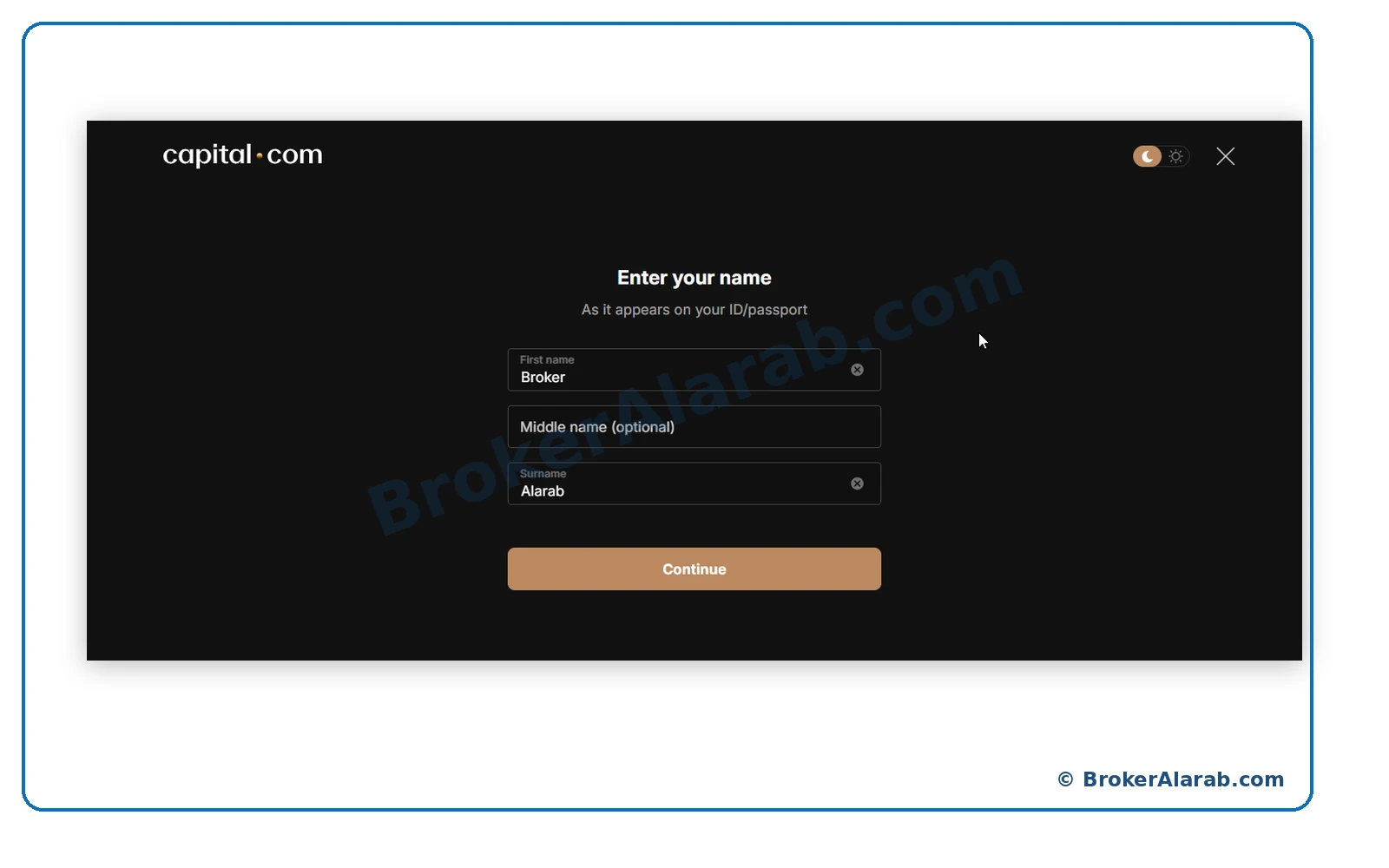
Type your first name, optional middle name, and surname to match your government-issued identification or passport, and proceed.
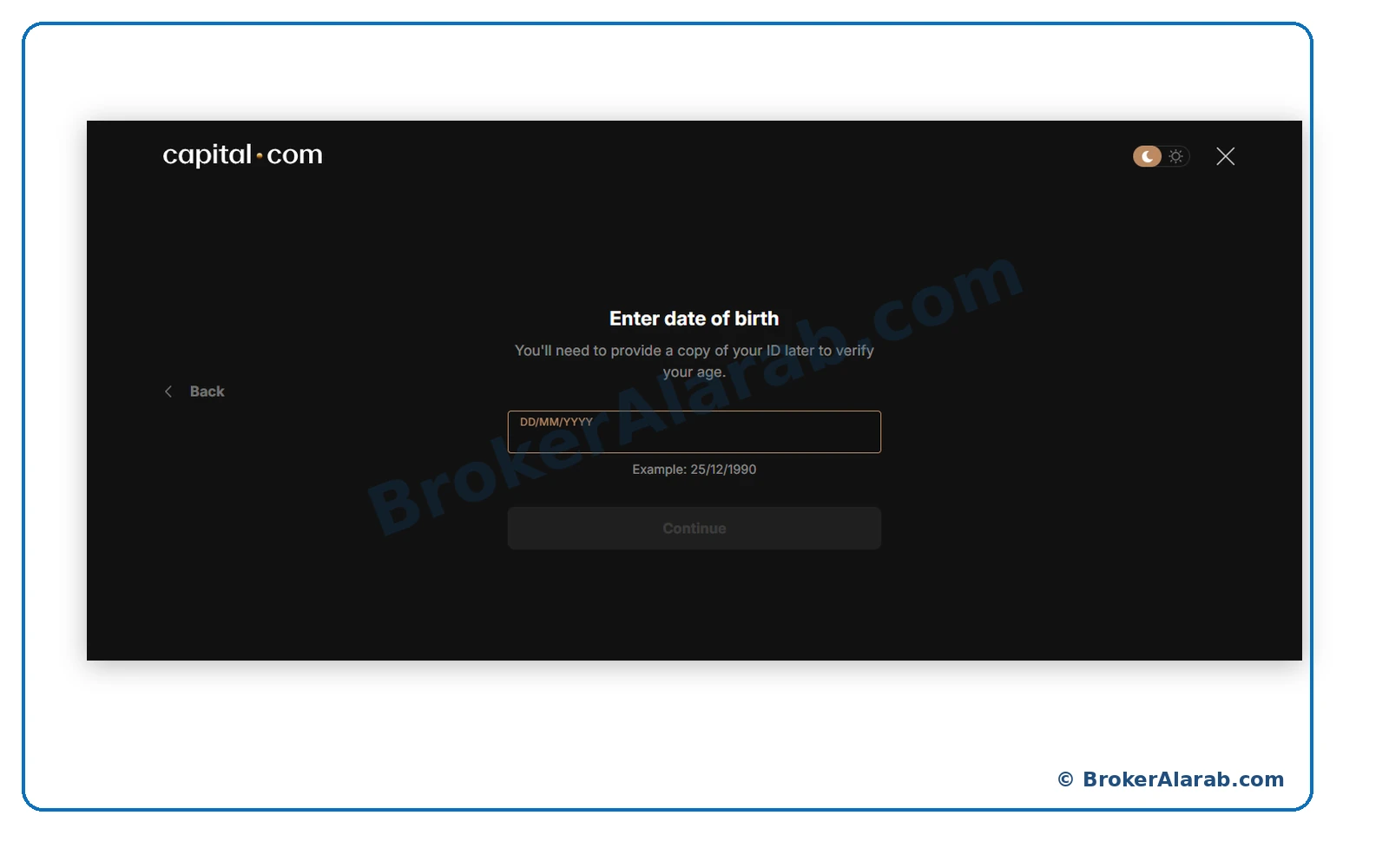
Capital.com requests your date of birth as part of eligibility checks. Note the day, month, and year order shown in the form.
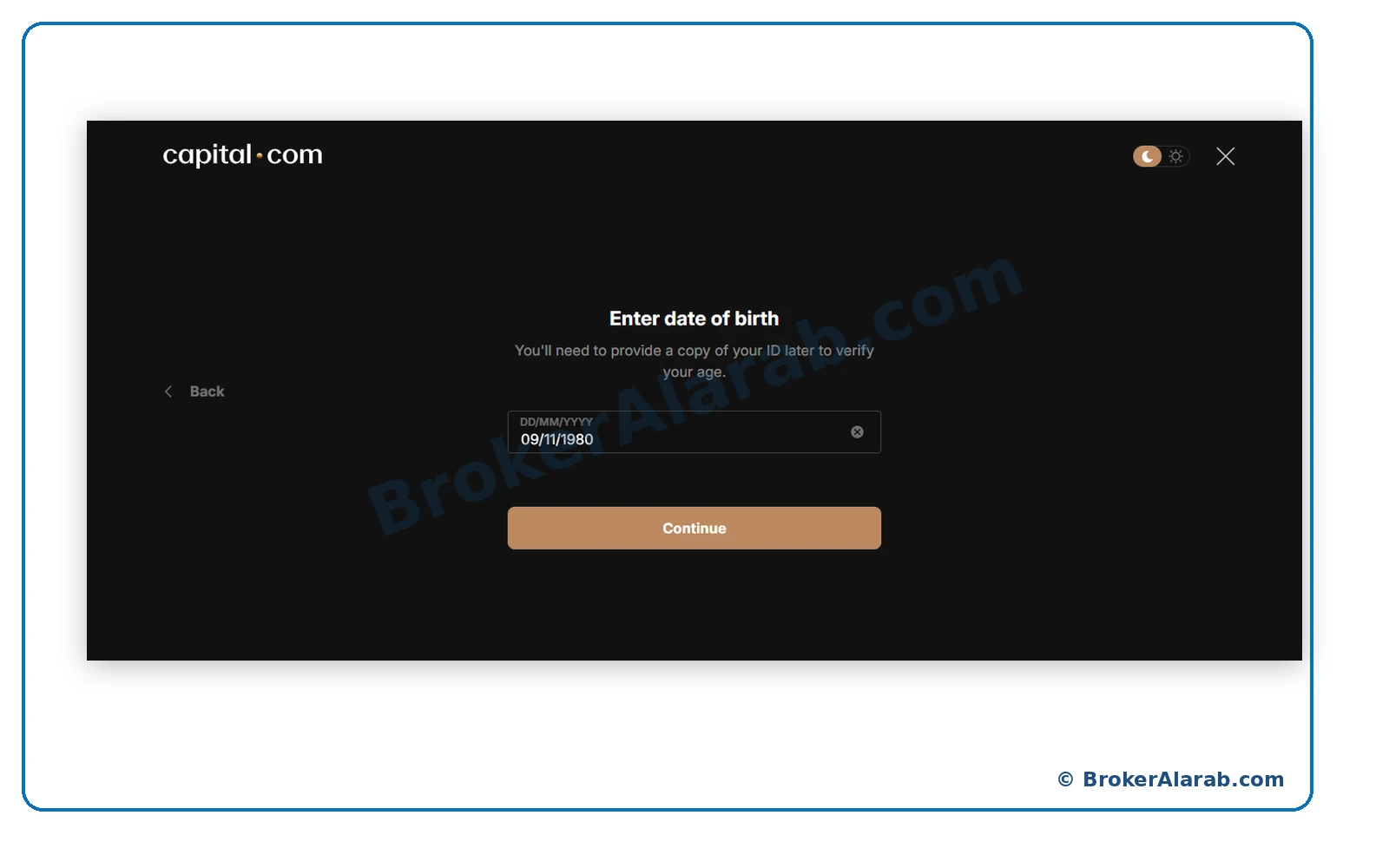
Enter your correct birth date in the required format and review it before continuing. The date shown in the screenshot is an example.
The address form may request your street, building and apartment numbers, city, and postal code. Prepare your genuine residential details.
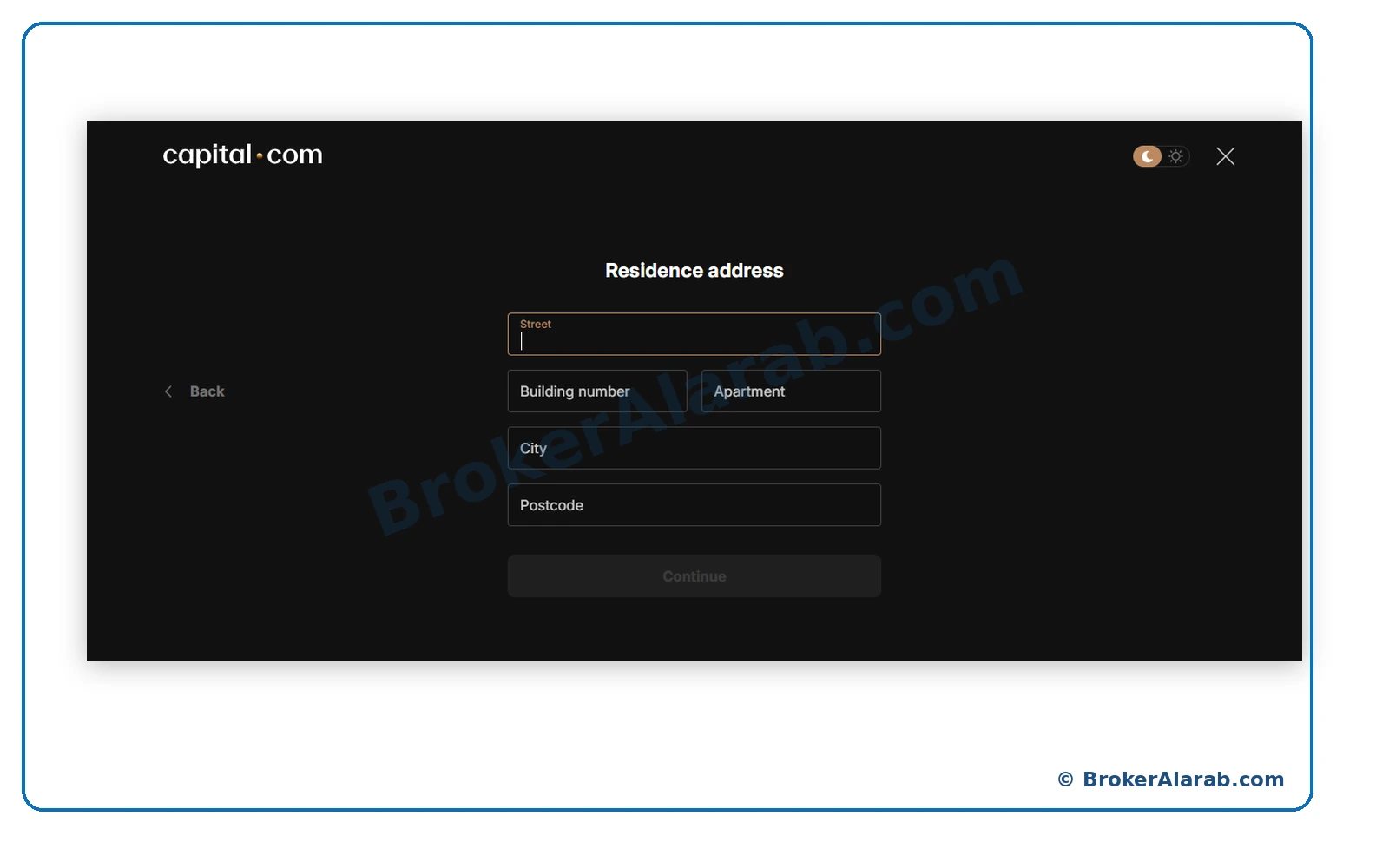
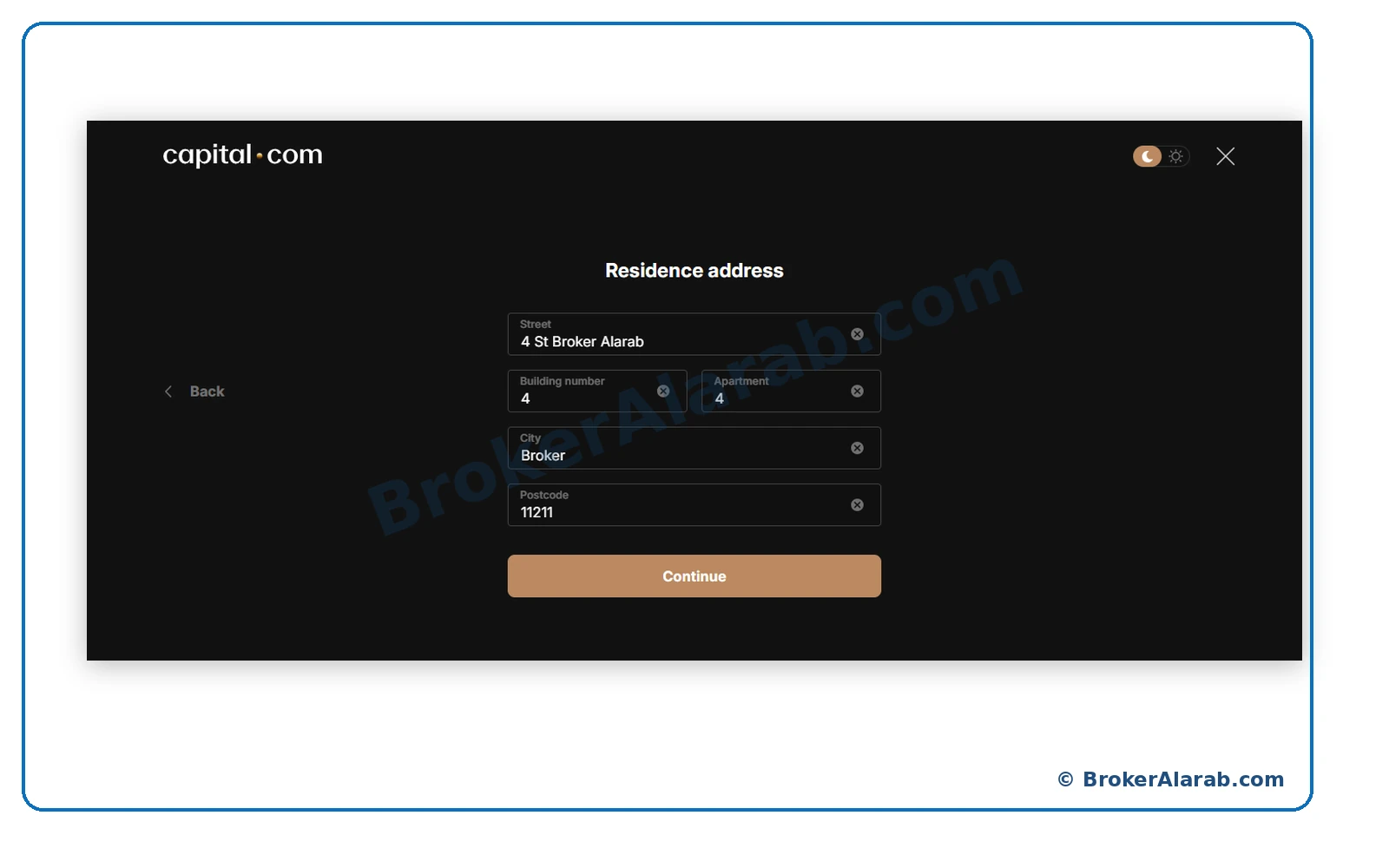
Complete the address fields accurately and select Continue. Do not reuse the sample address visible in the guide.
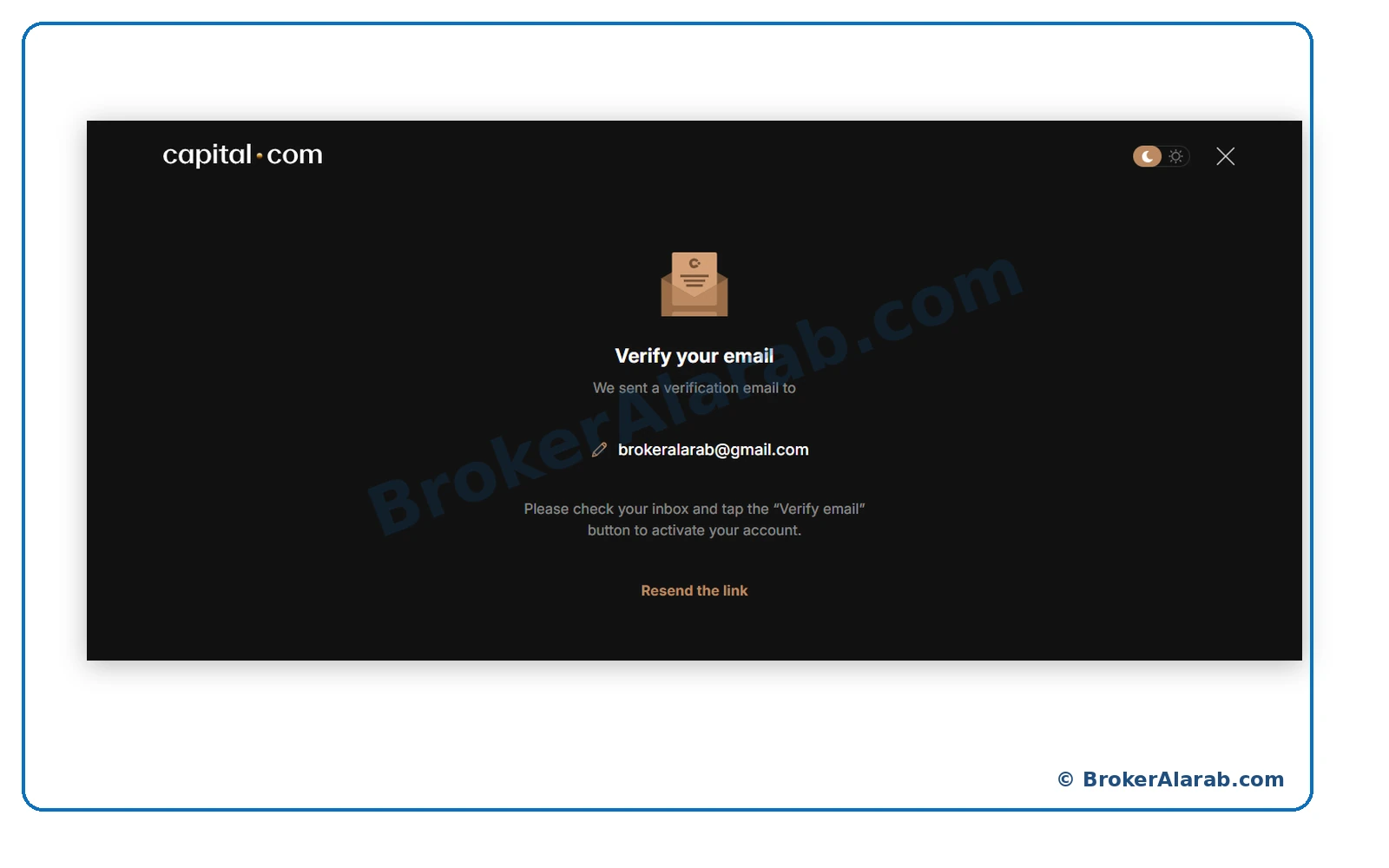
An on-screen prompt indicates that an email-verification message has been sent to your registered inbox. Check your email for the Capital.com message.
Open the official email and select its verification link or button. Confirm the sender and destination before following the link.
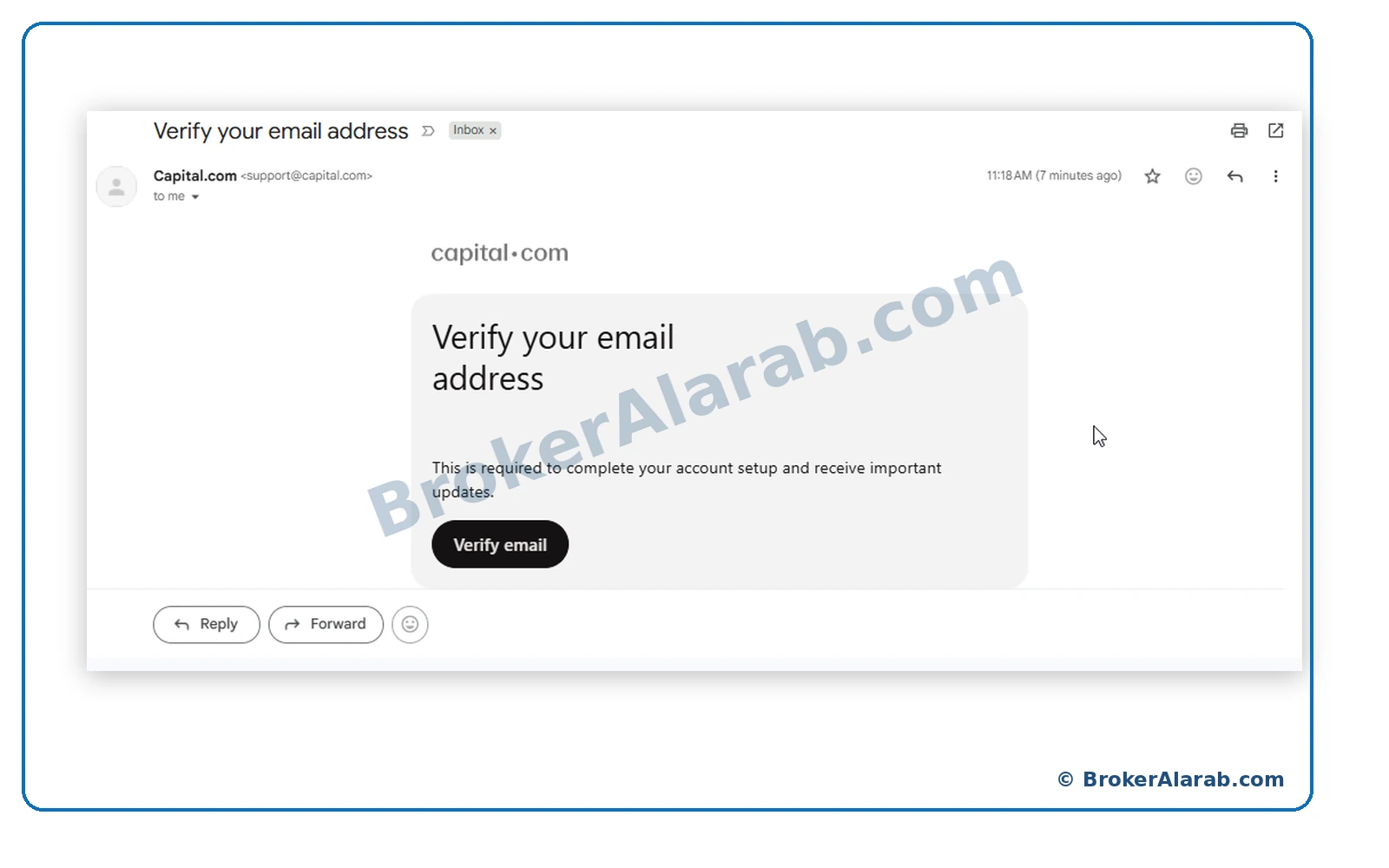
Avoid suspicious sign-in links.
Avoid suspicious sign-in links.
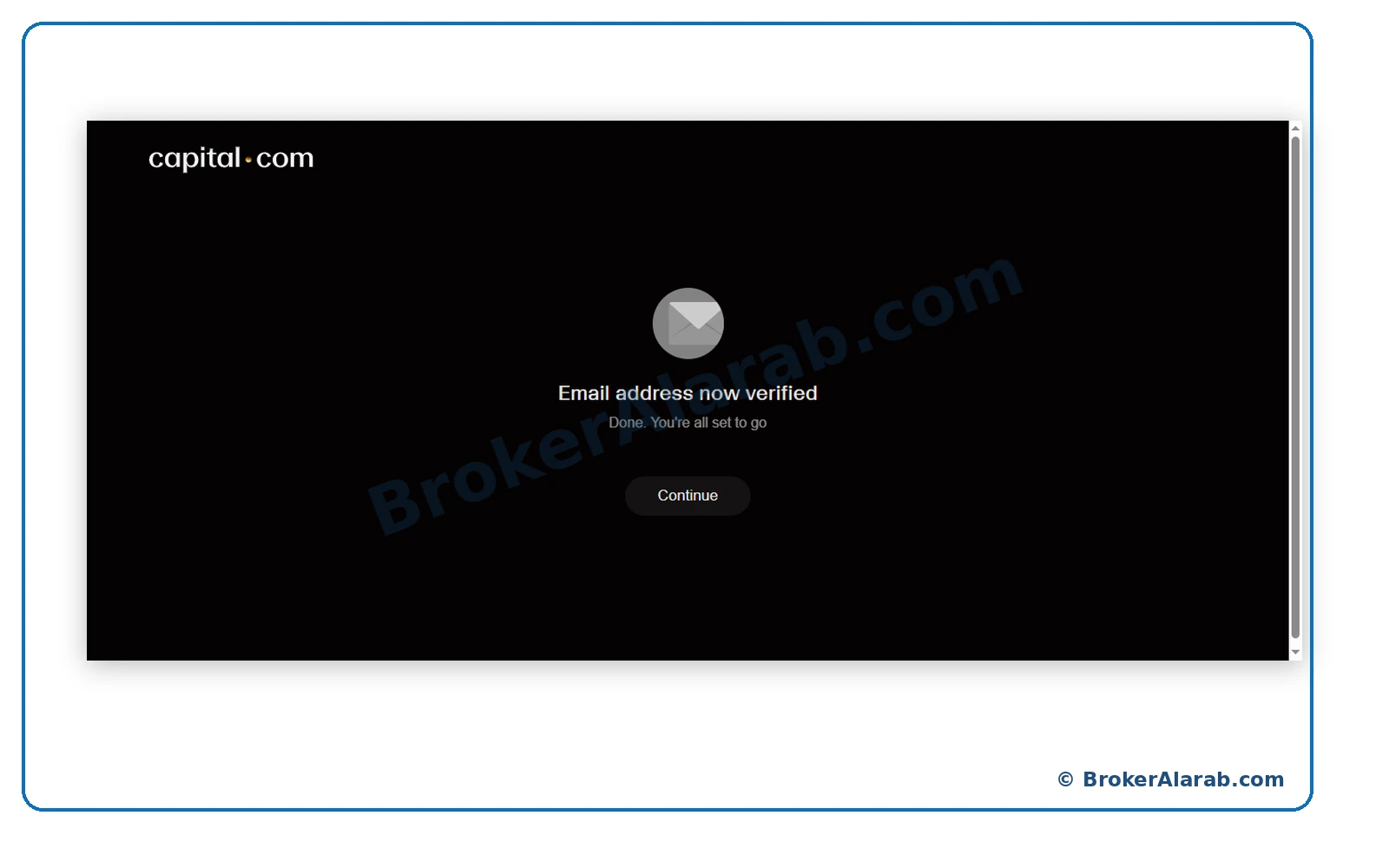
A confirmation screen indicates that the email address has been verified. Continue with the remaining registration steps.
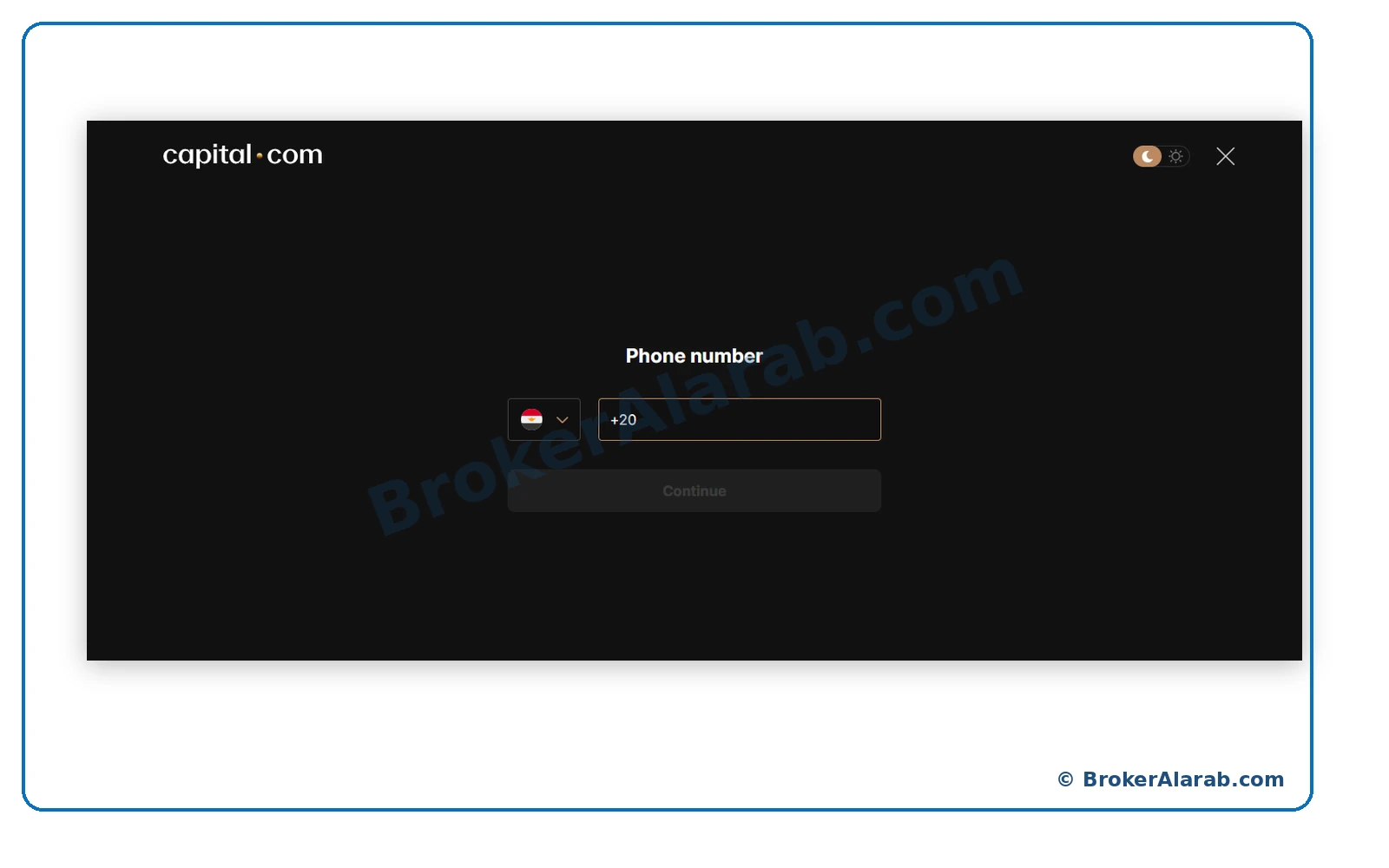
The phone-entry screen shows a country calling code and a field for your number. Check that the selected calling code matches your phone.
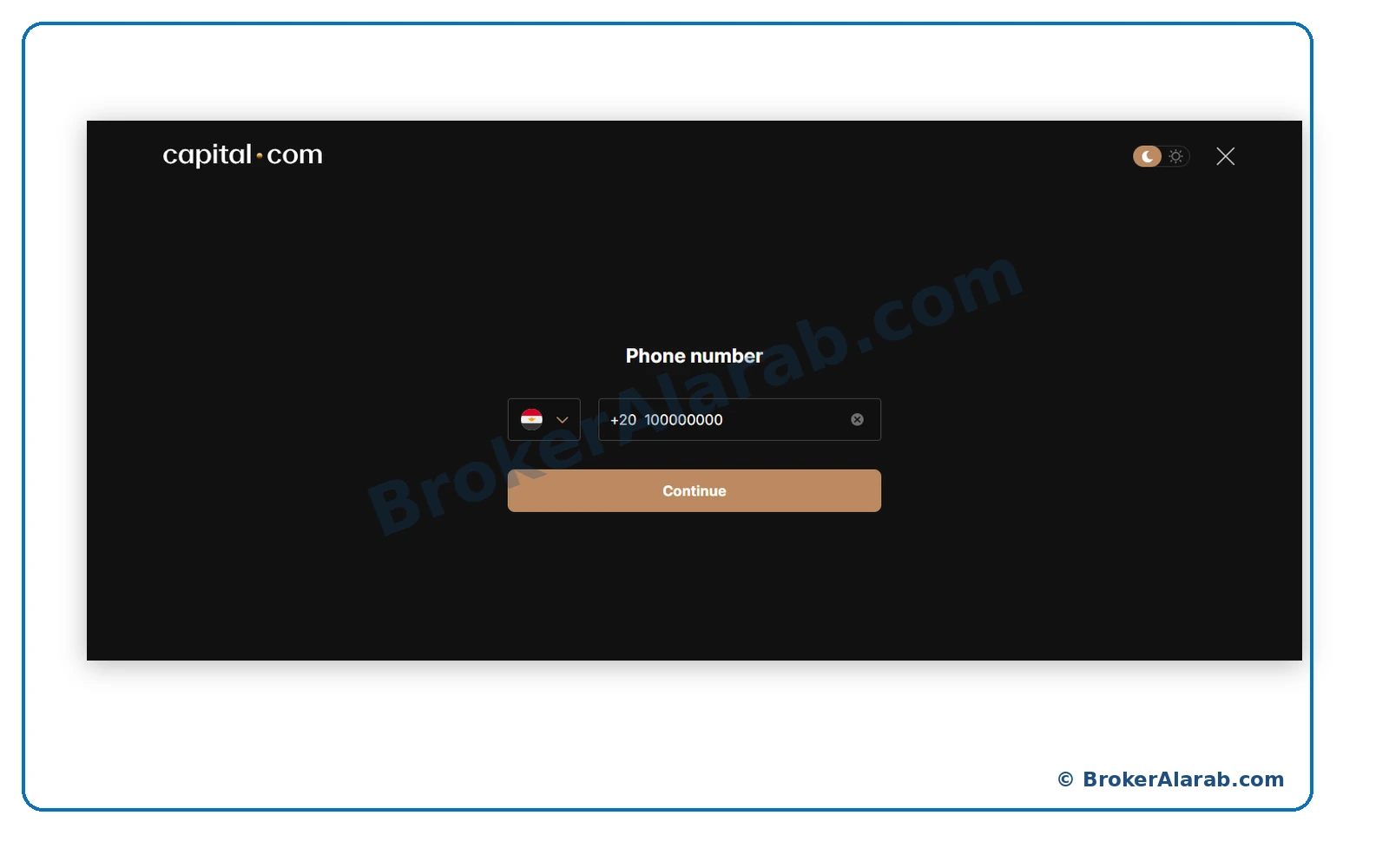
Enter your active phone number in the format requested by the form, then continue. The Egyptian number in the example is not a universal format.
ACCOUNT OPENING STAGE
Describe your actual experience with CFDs and leveraged products. Give accurate answers rather than choosing a response to obtain approval.
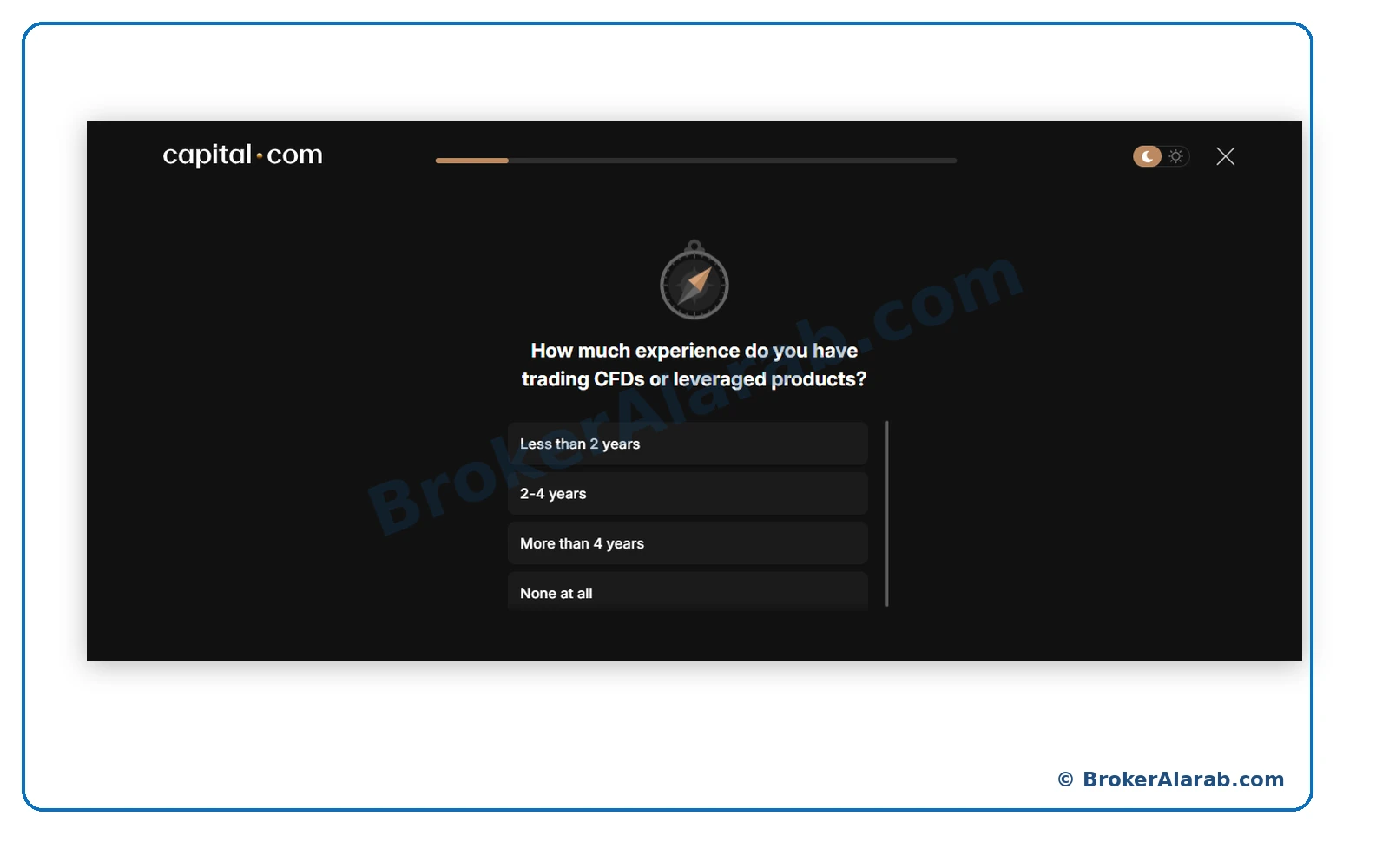
There is no suggested answer to the experience assessment.
Incorrect suitability answers may affect your assessment.
There is no suggested answer to the experience assessment.
Incorrect suitability answers may affect your assessment.
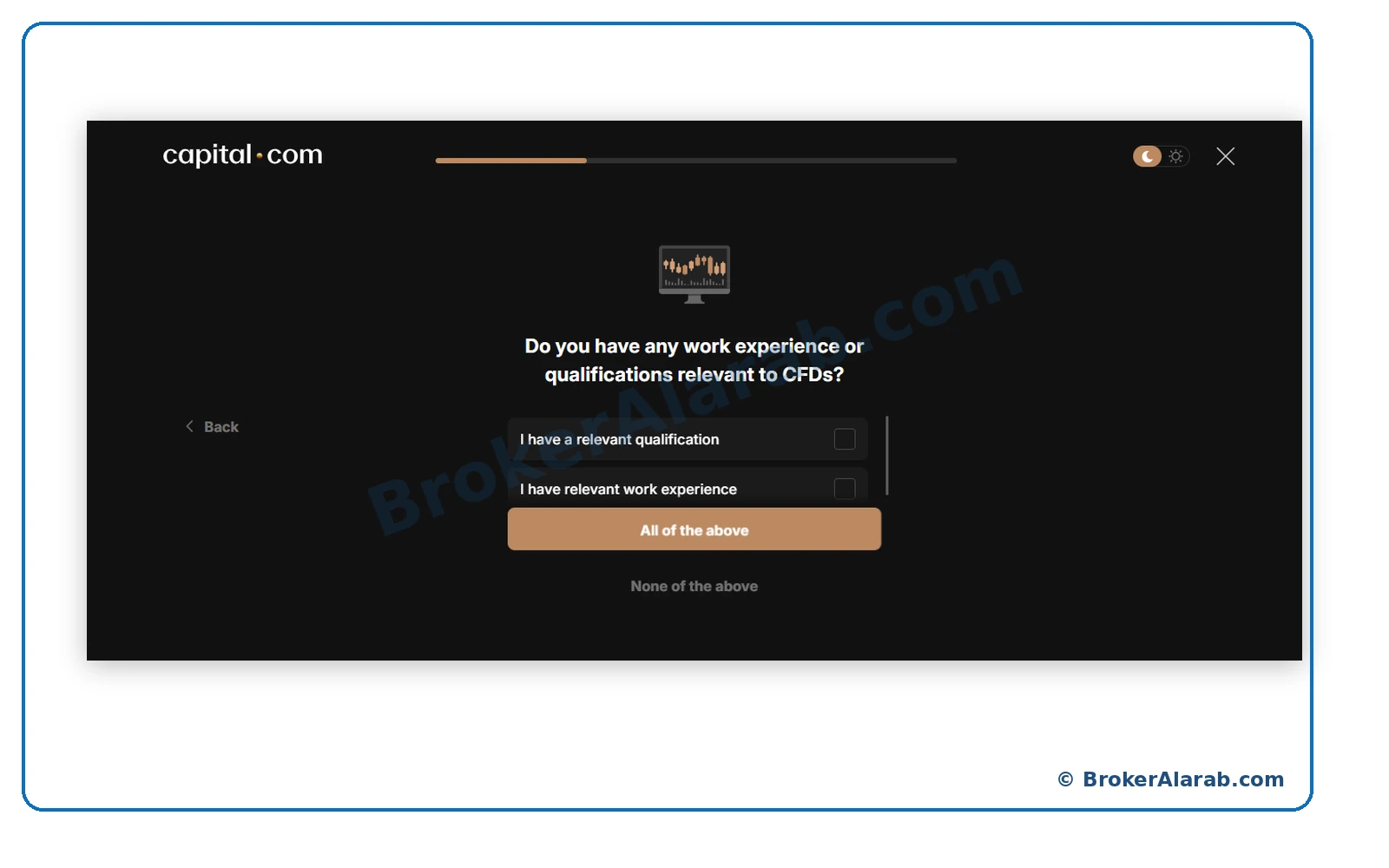
Indicate whether you genuinely have employment experience or qualifications relevant to financial products and CFDs.
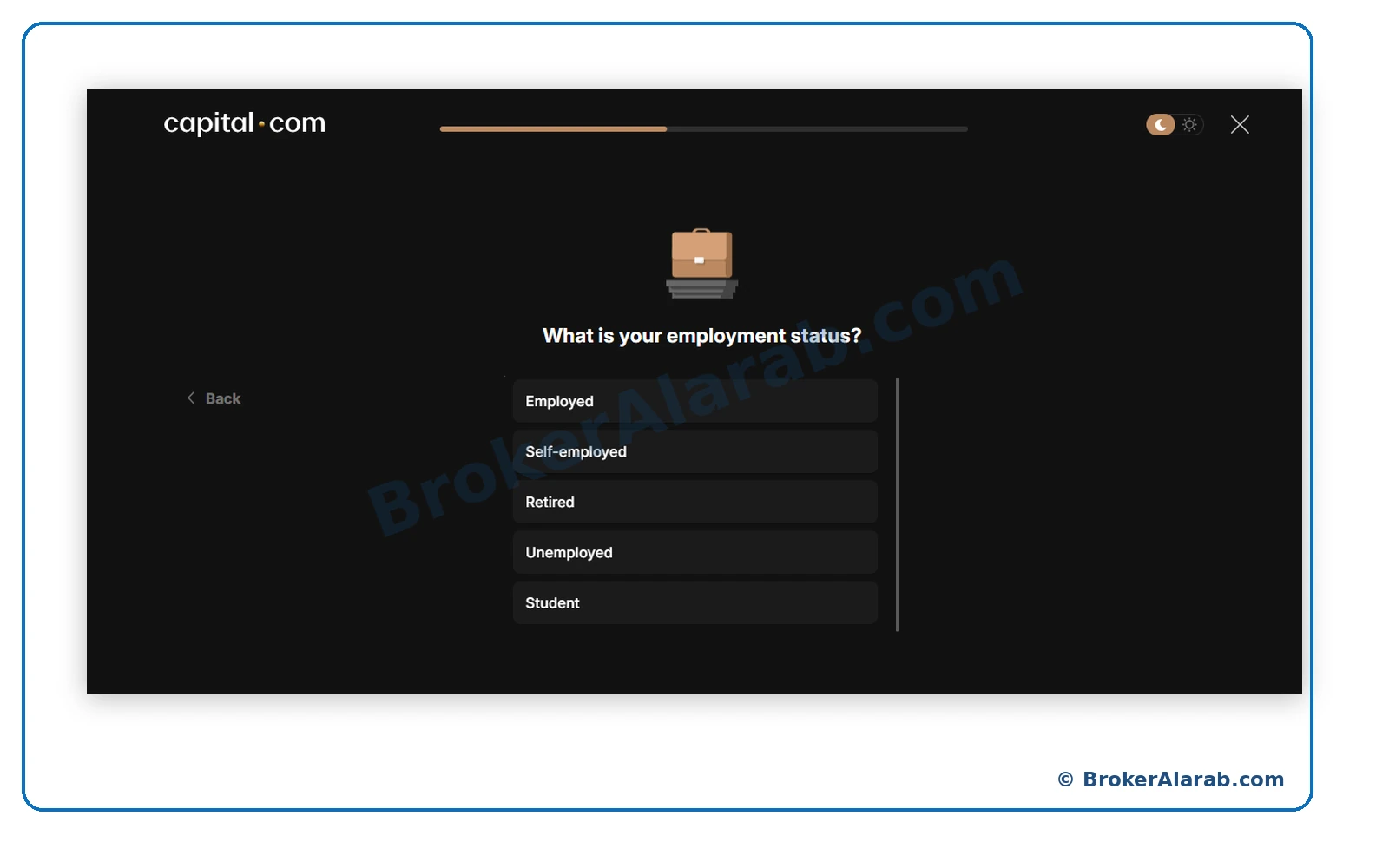
Select the employment category that reflects your current situation, such as employed, self-employed, retired, unemployed, or student.
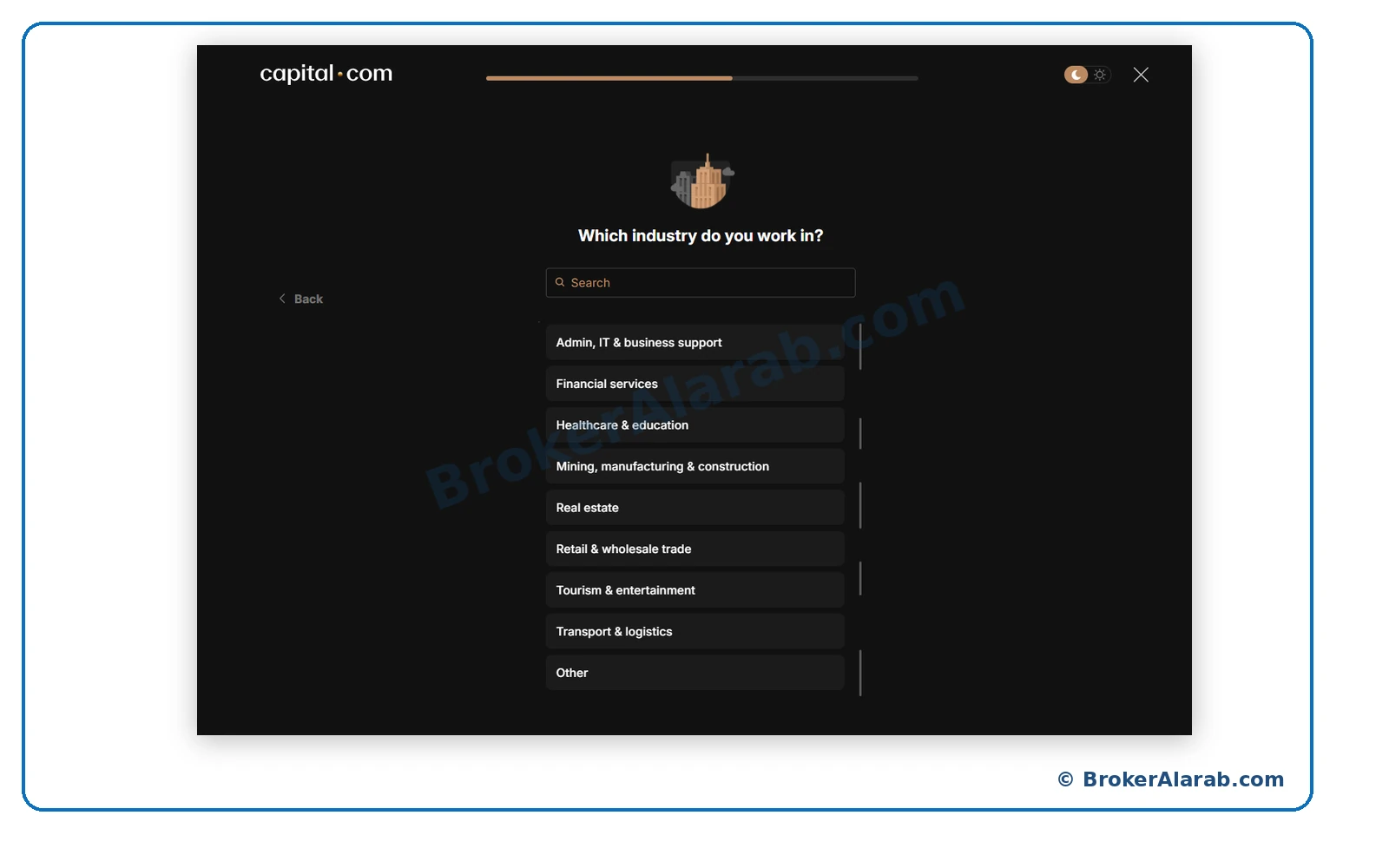
Search for your real industry or occupation in the options shown and select the closest accurate match.
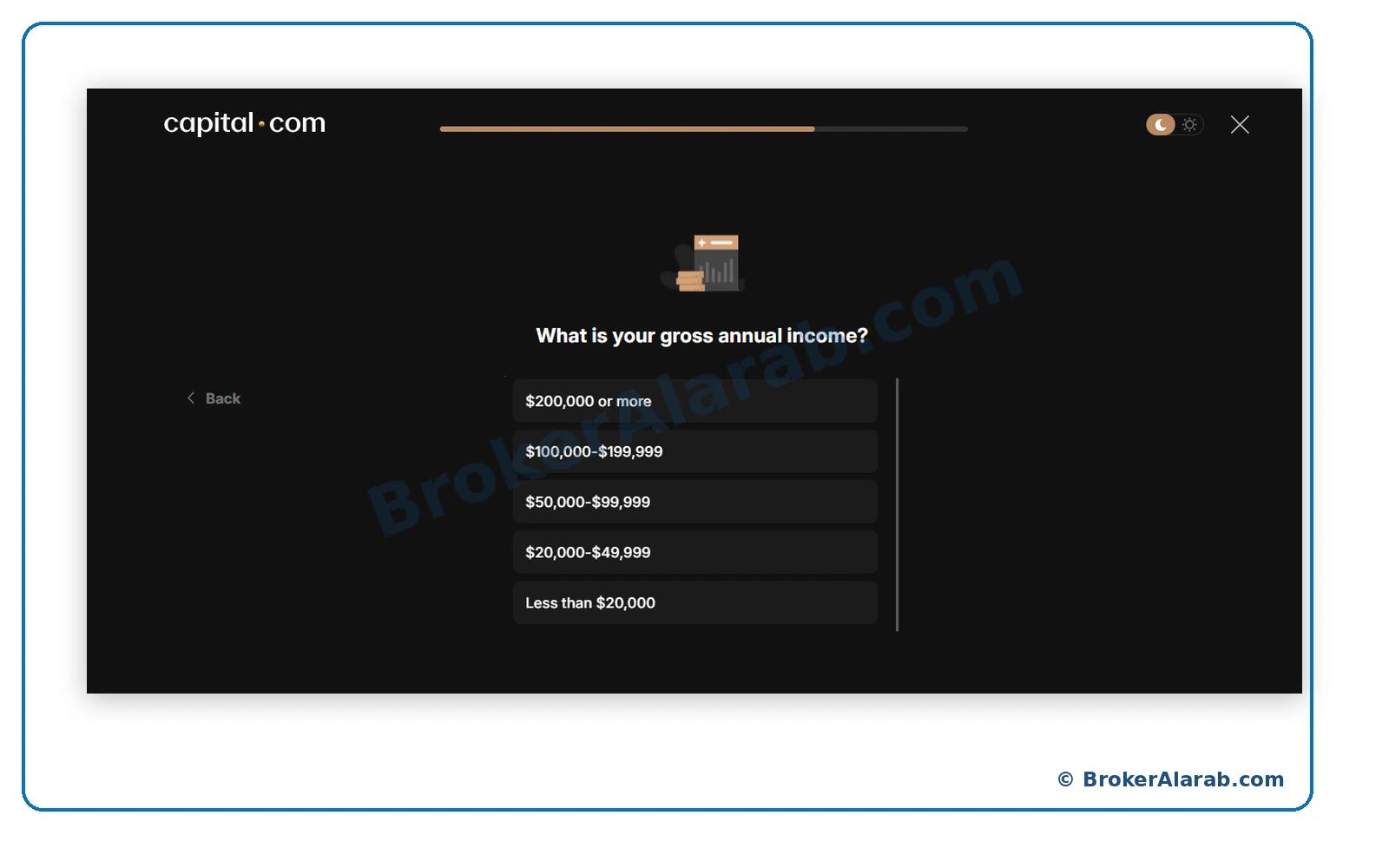
Select the gross annual income bracket that accurately reflects your finances. Available currencies and ranges may vary.
Choose the net-worth bracket that matches your circumstances and the definition provided by the application.
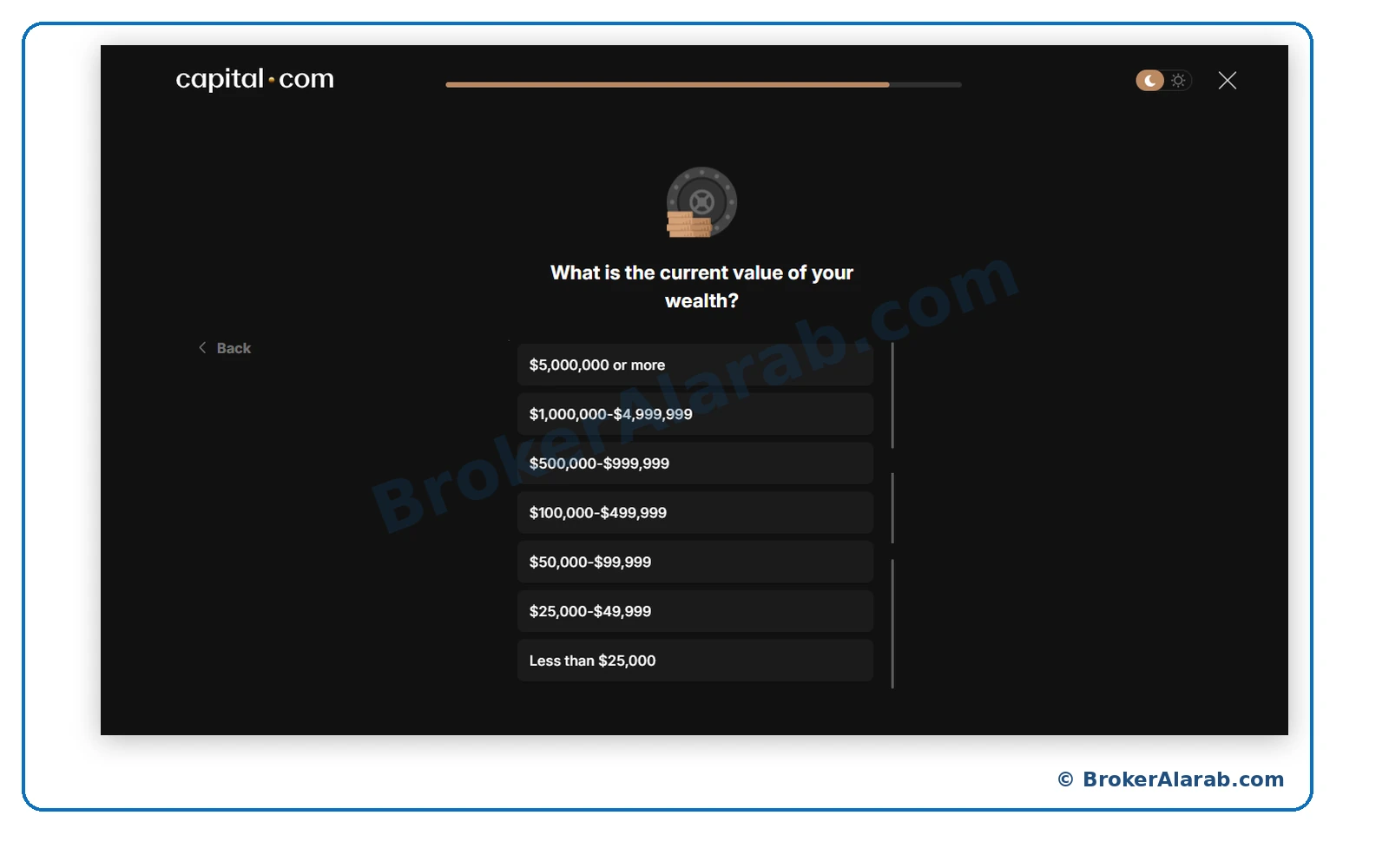
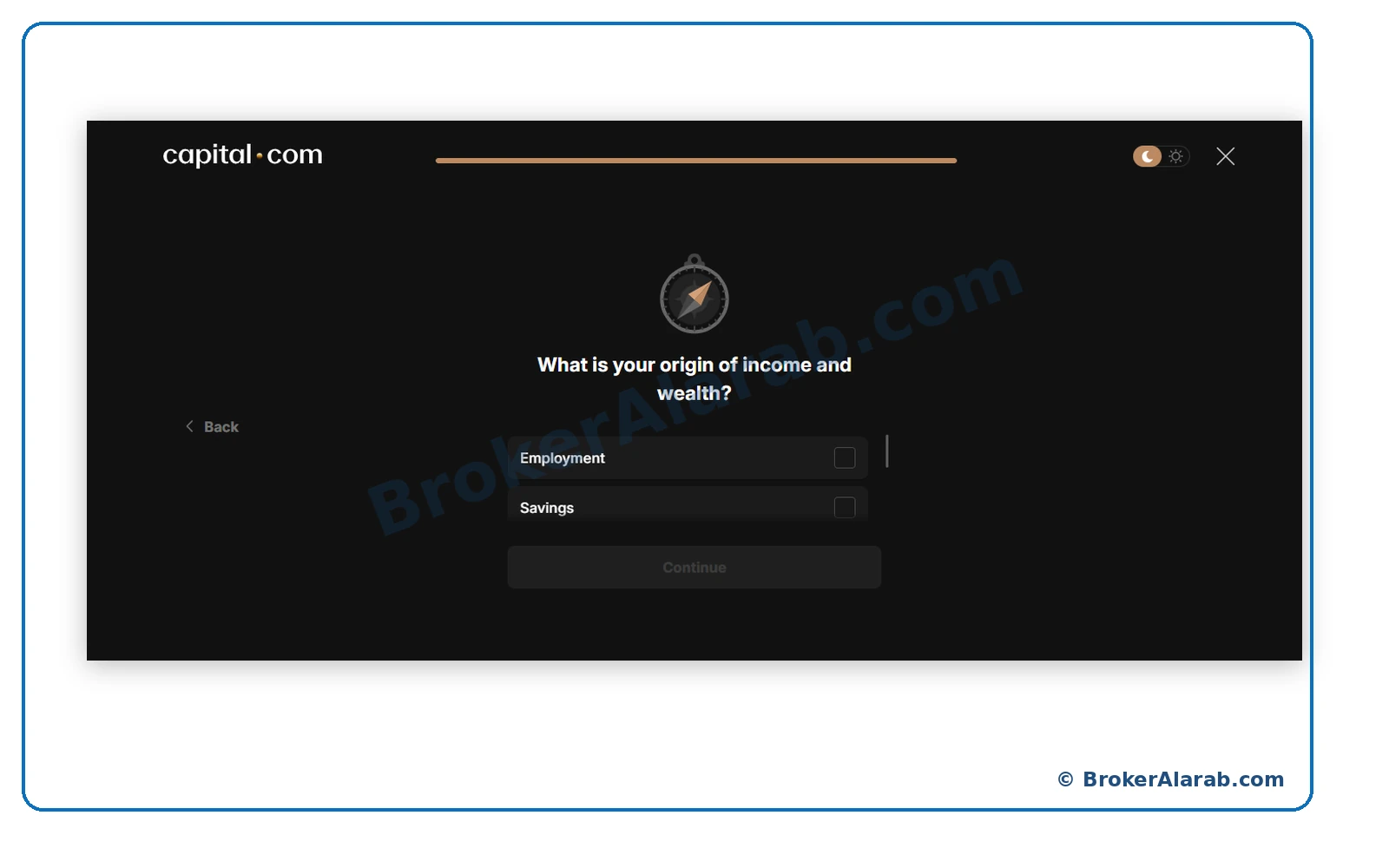
State the genuine source of your funds, such as employment, savings, investment proceeds, or inheritance, as applicable.
The example screen shows a successful questionnaire result. This does not itself confirm that identity verification or account activation is complete.
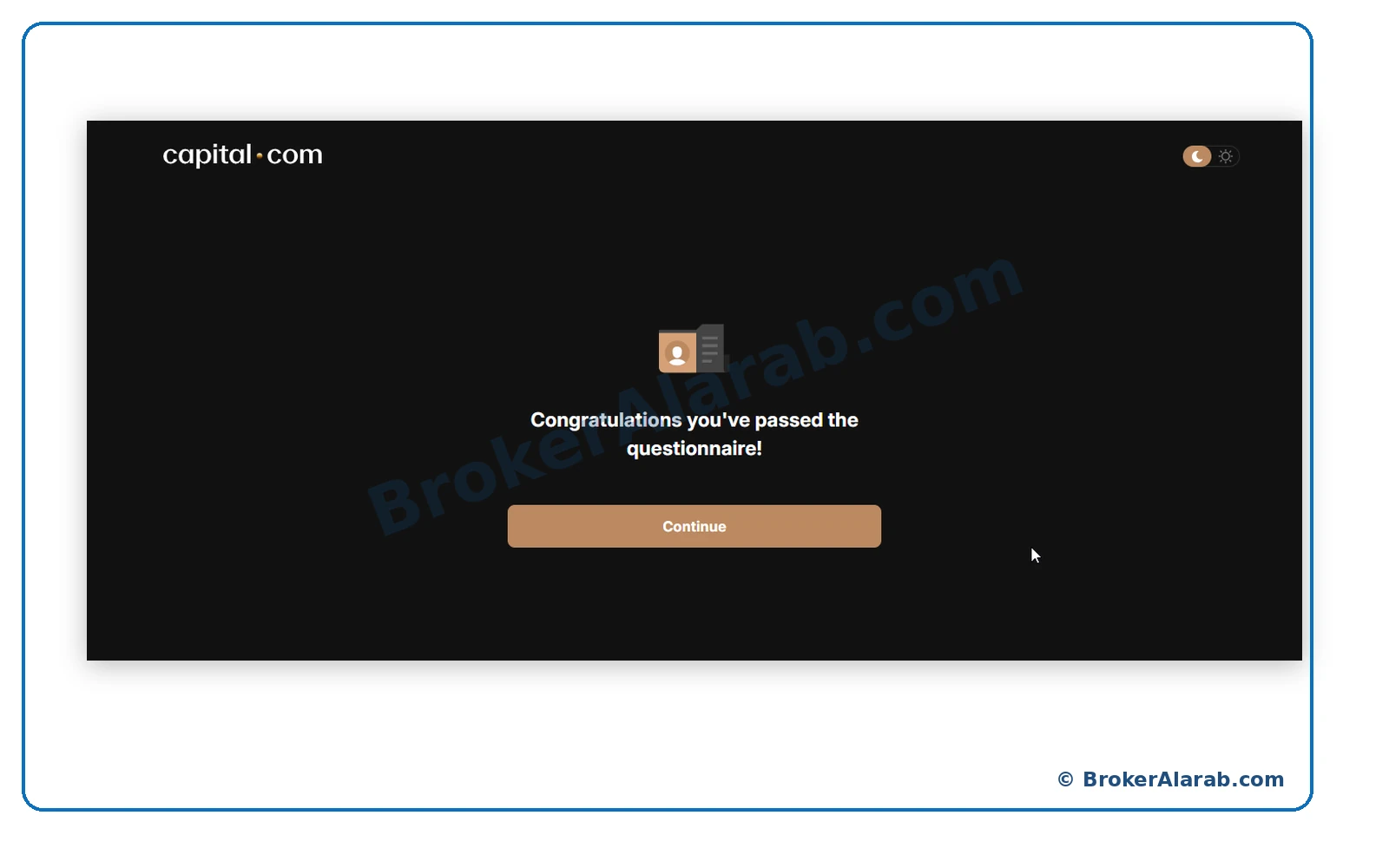
Questionnaire completion is not identity approval.
Questionnaire completion is not identity approval.
Review the client agreement, risk disclosures, privacy terms, and other policies applicable to the entity serving your account. Accept only after reading them.
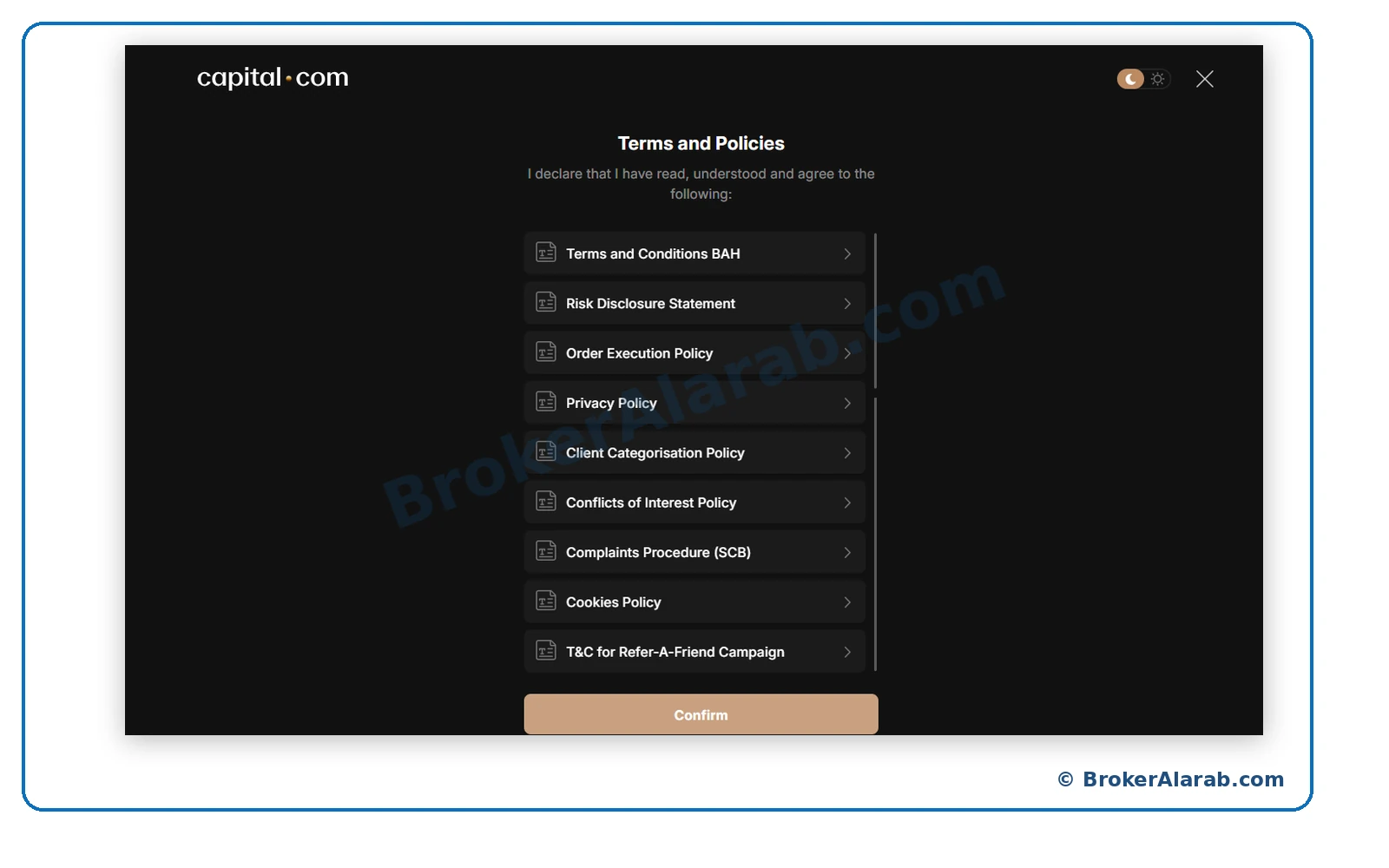
CFDs are high-risk products and can result in substantial losses.
CFDs are high-risk products and can result in substantial losses.
Review the available base currencies, which may include USD, EUR, and others depending on your account. Choose according to your needs and the available options.
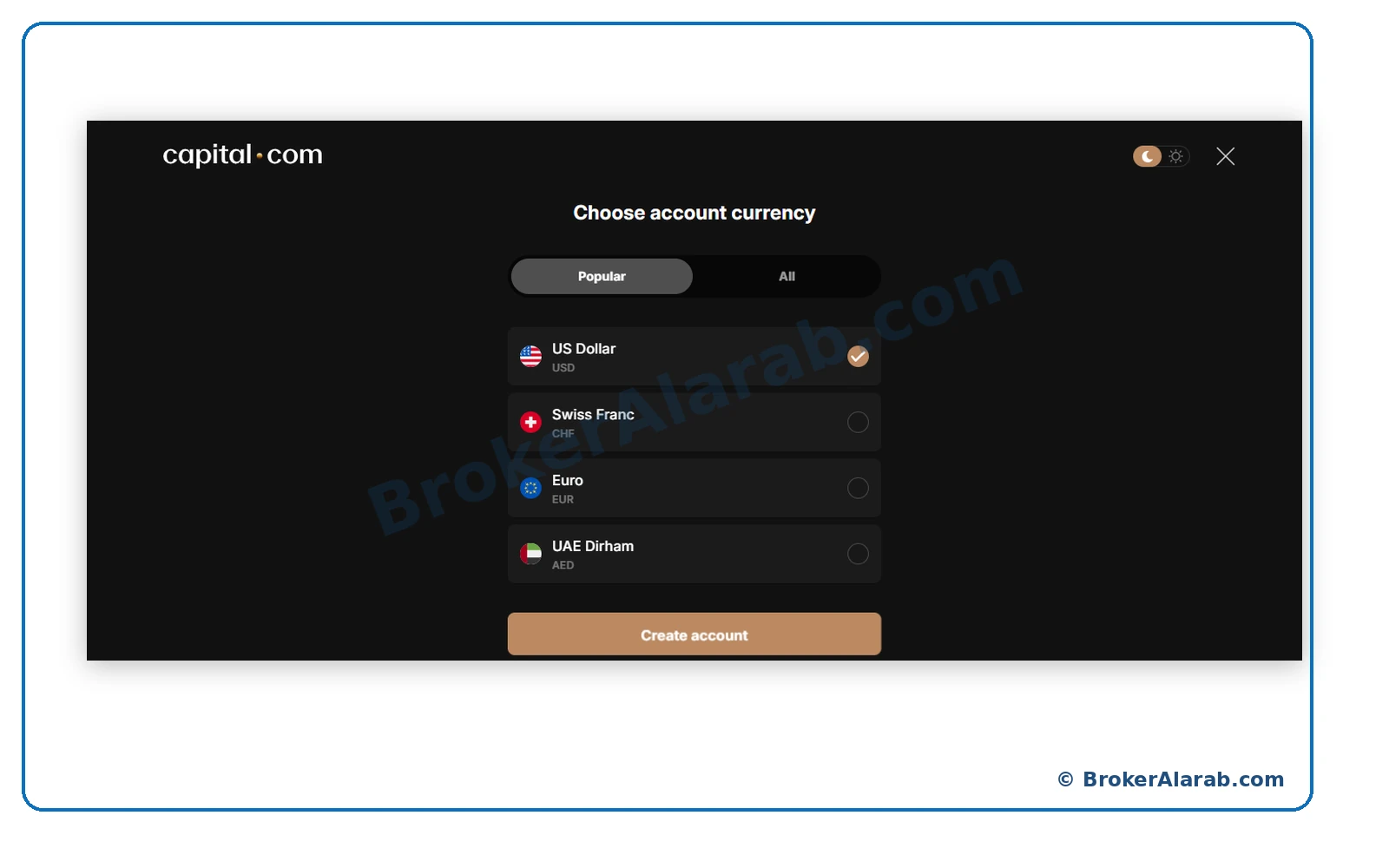
USD appears only as an example.
USD appears only as an example.
Verify the selected account currency and select Create account. USD is shown as an example, not a recommended choice.
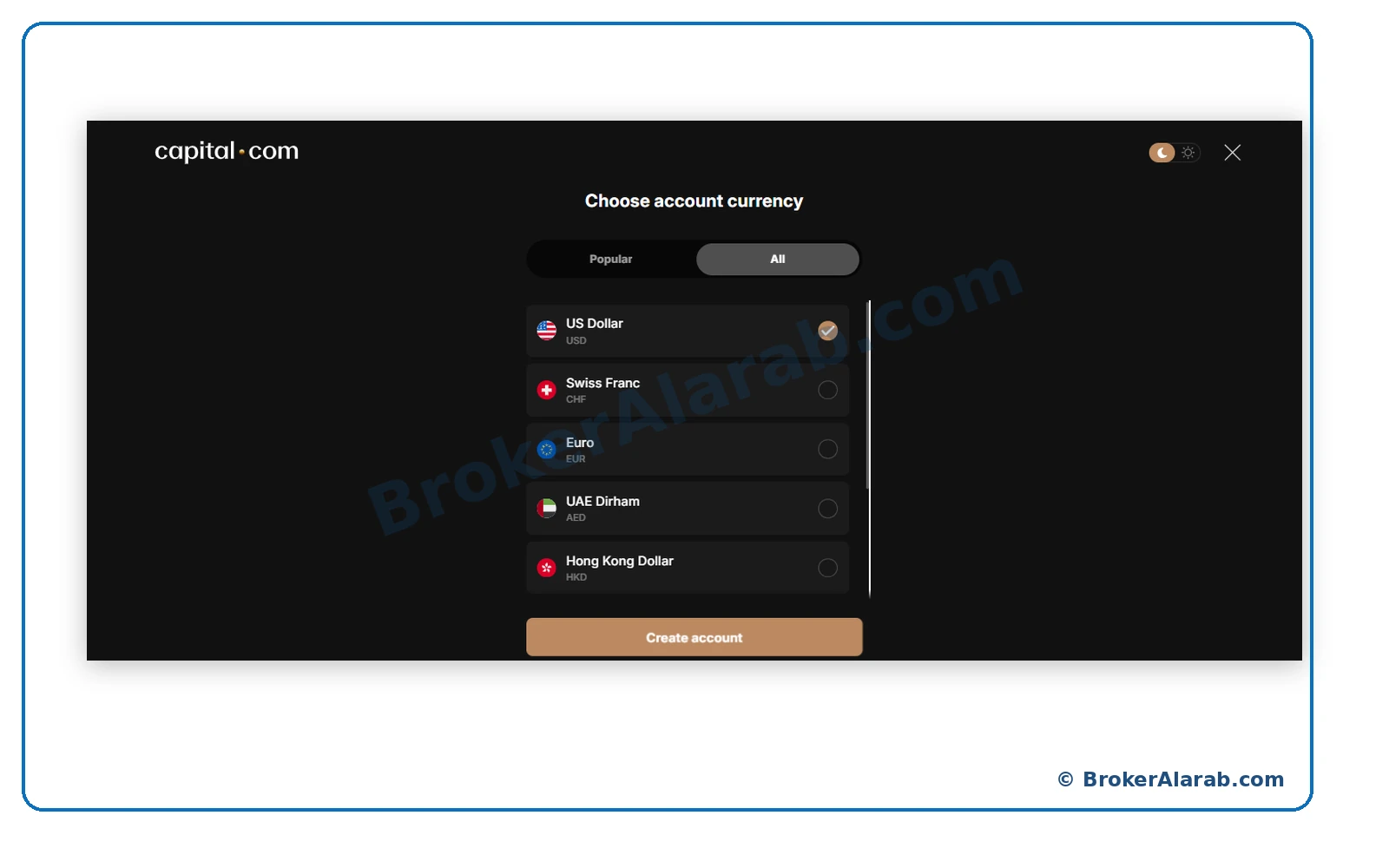
Check the currency before creating the account.
Check the currency before creating the account.
ACCOUNT OPENING STAGE
Open the know-your-customer verification flow and follow the instructions for submitting identification and completing any required live-face check.
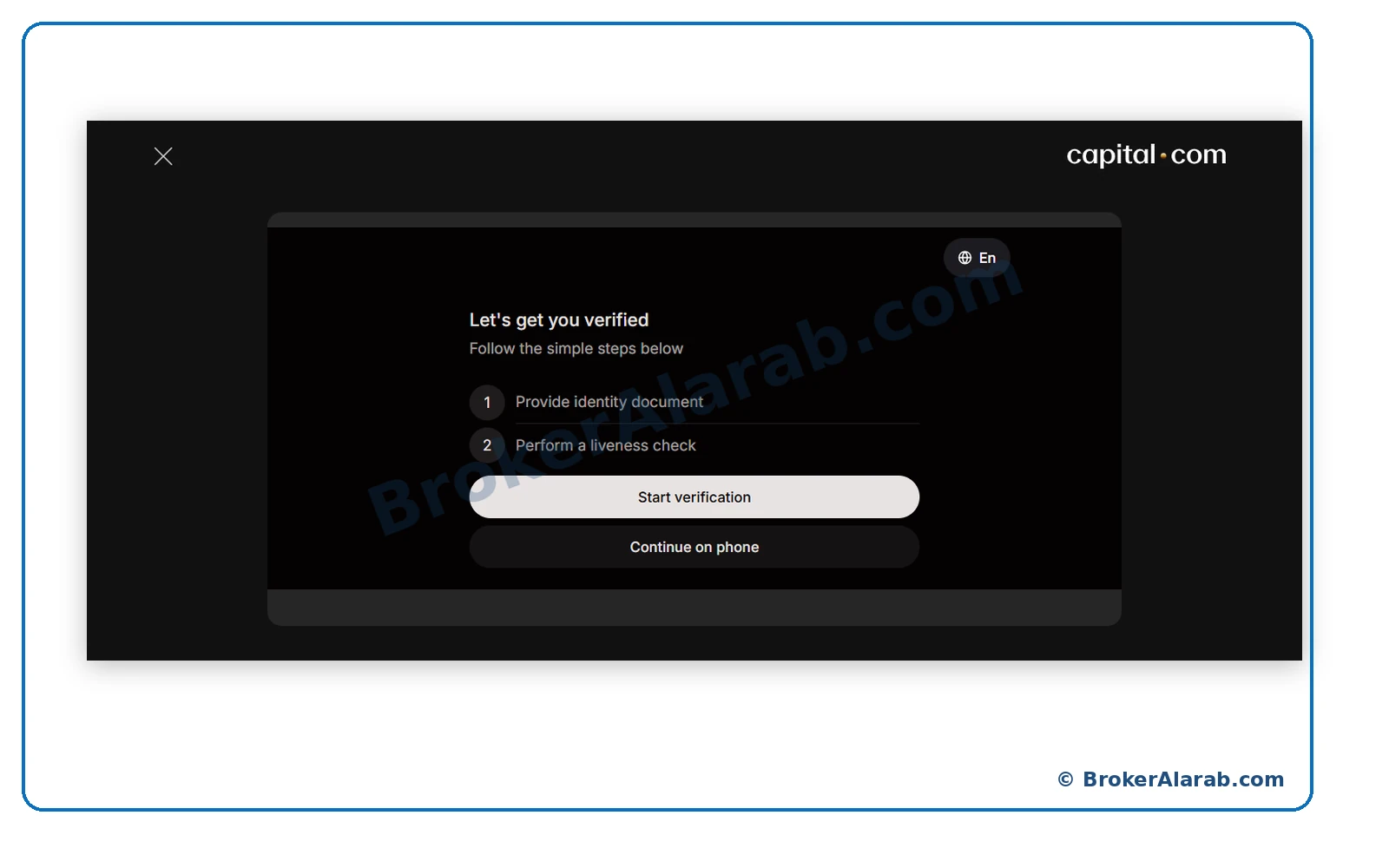
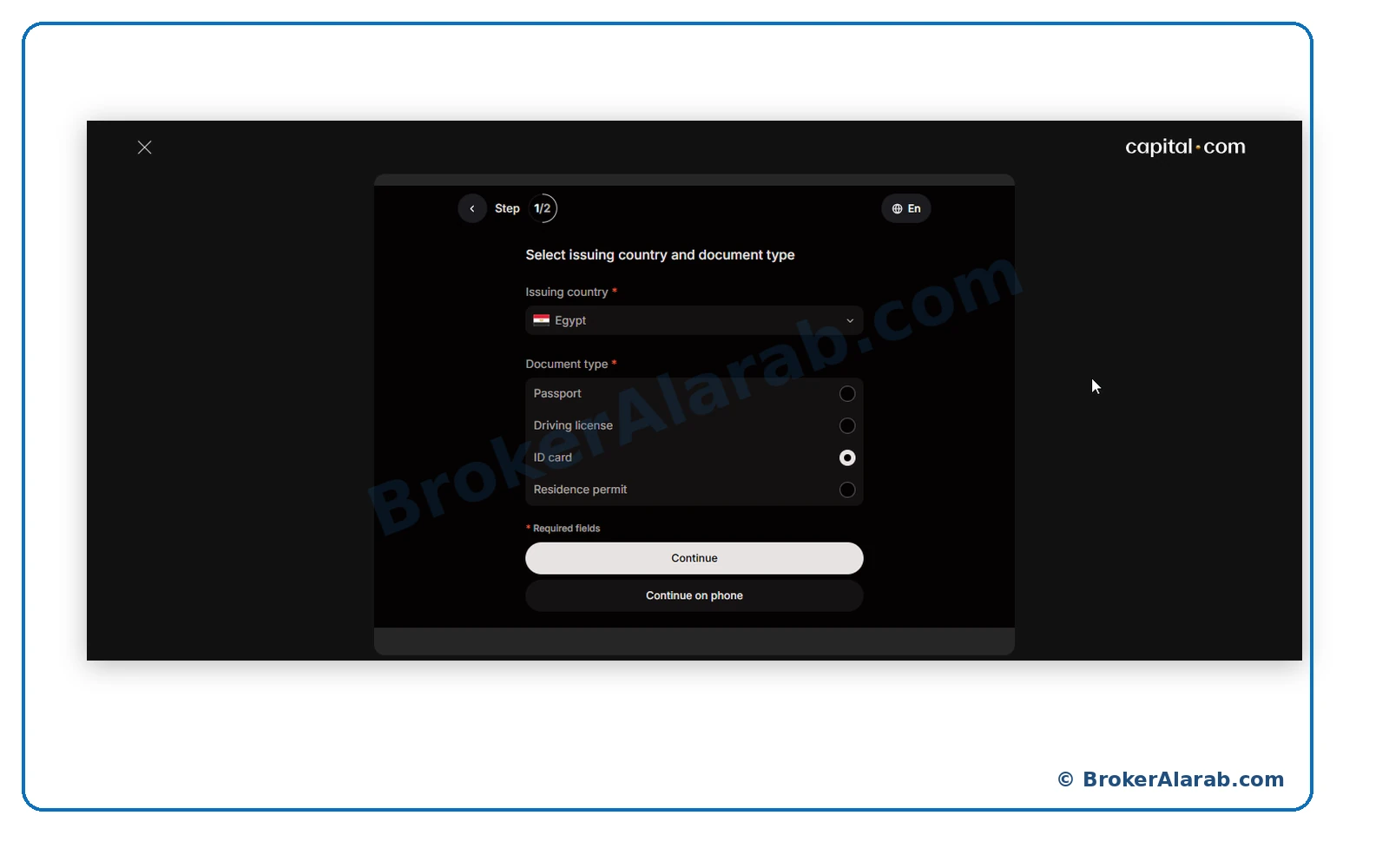
Choose the country that issued your document and an accepted identification type, such as a passport, national ID card, or driving licence.
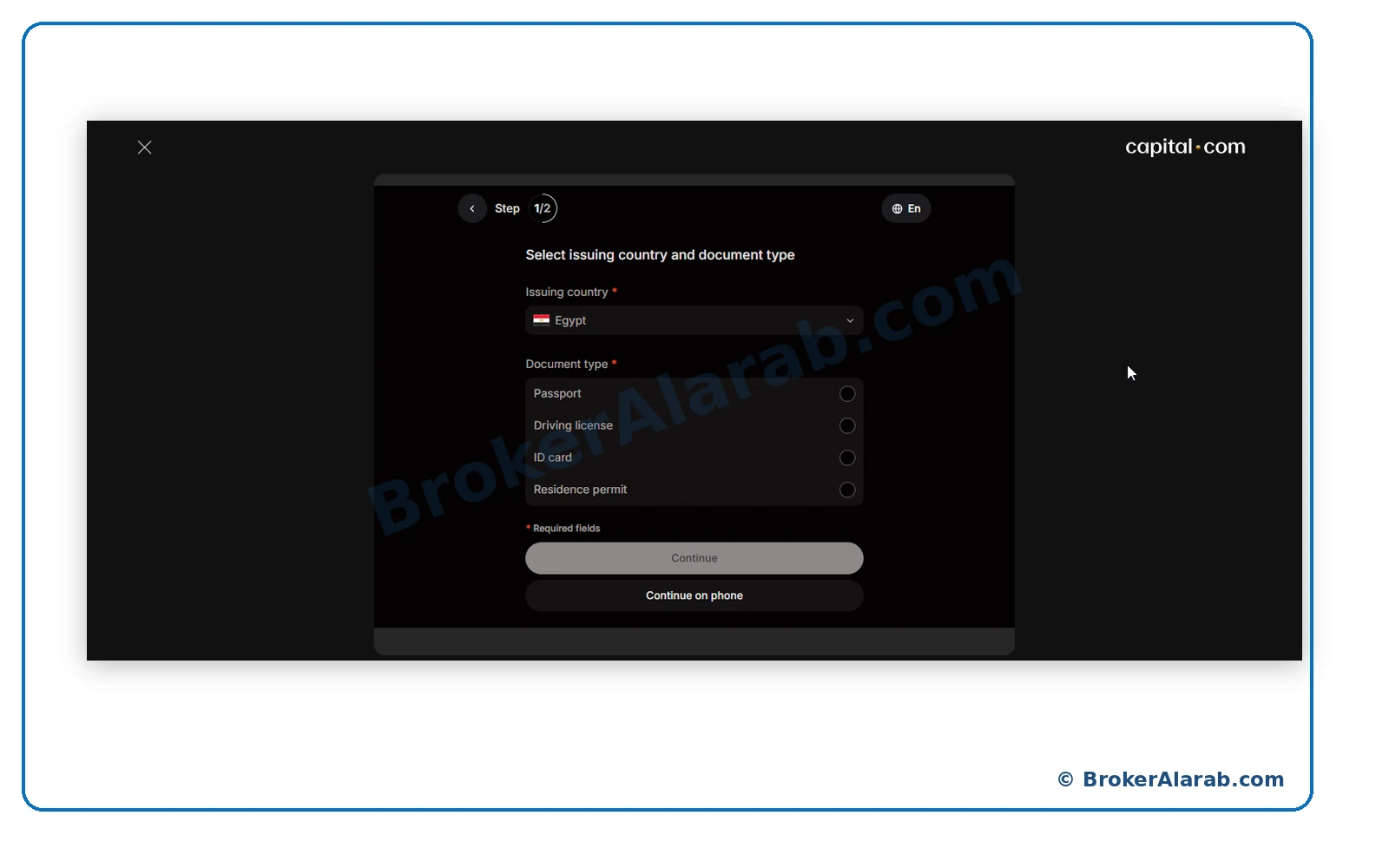
ID documents are sensitive; upload them only through official channels.
ID documents are sensitive; upload them only through official channels.
The screenshots use a national ID card for identity verification. Choose another supported document if that is more appropriate for you.
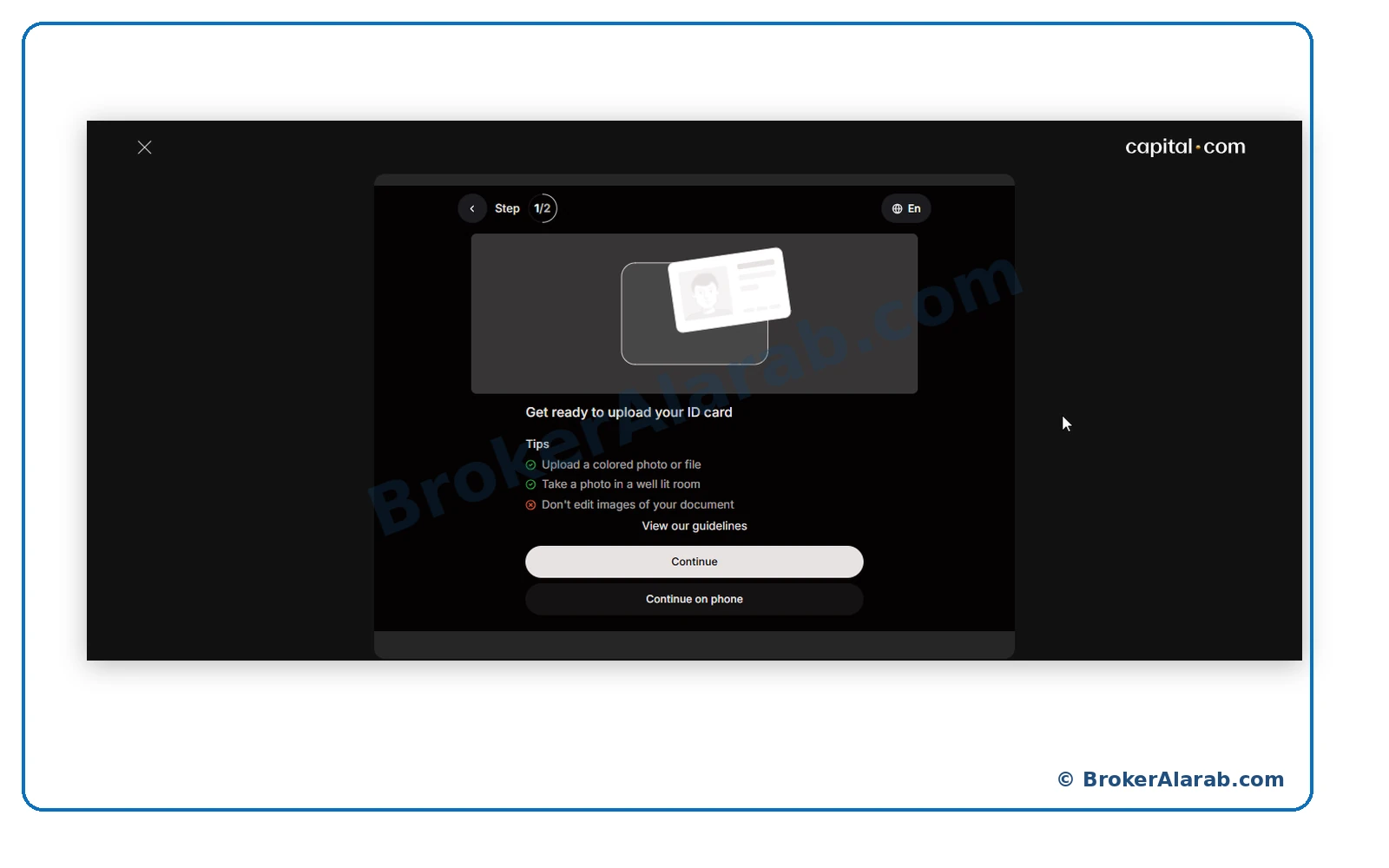
Review the photo requirements, including legibility, full document visibility, adequate lighting, and avoiding image manipulation.
Grant camera access to capture a document, or select the saved-file upload option when the interface offers it.
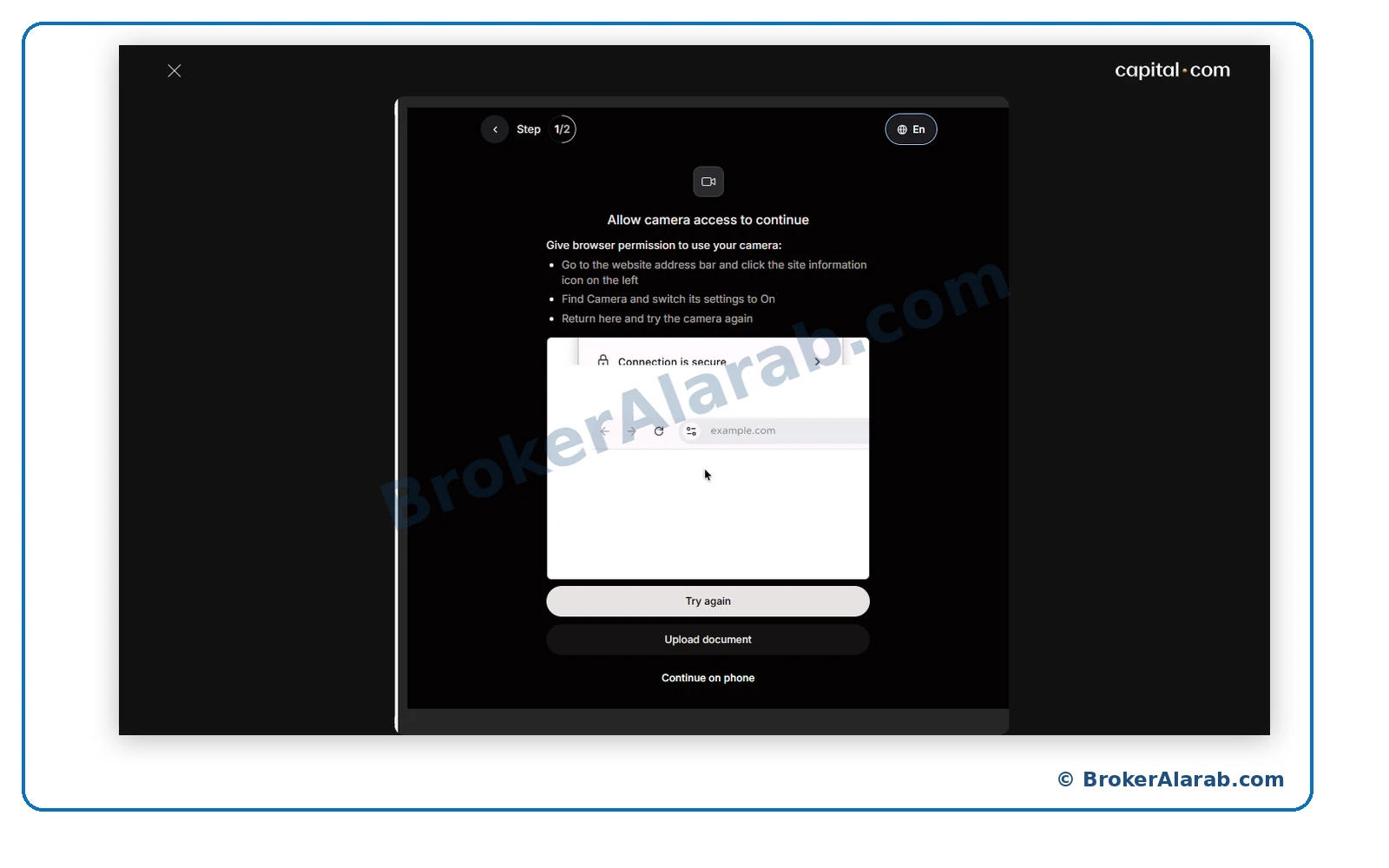
Check the website address before granting camera access.
Check the website address before granting camera access.
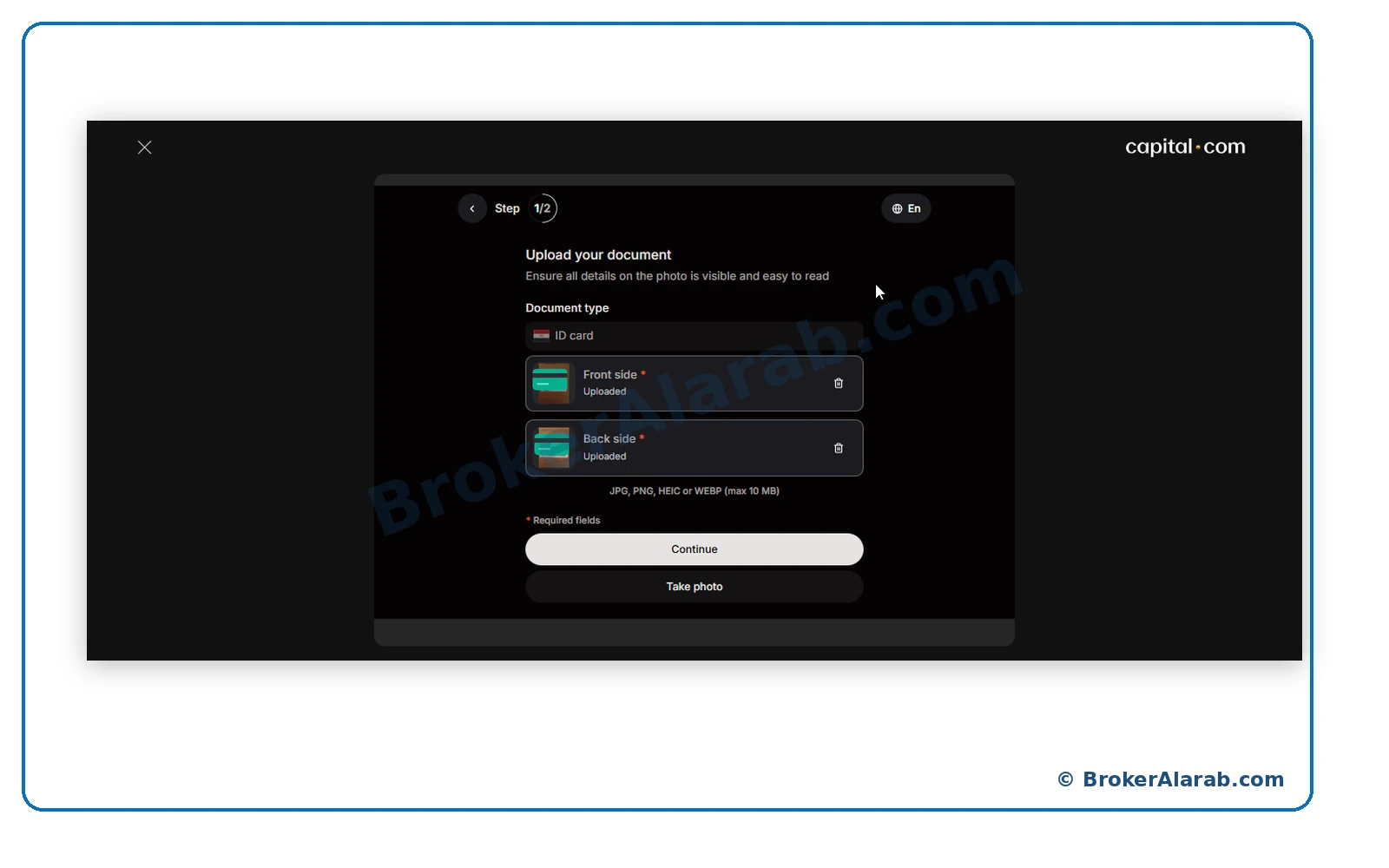
Submit both sides of the ID to their designated fields. Follow the supported file formats and size limit shown in your verification interface.
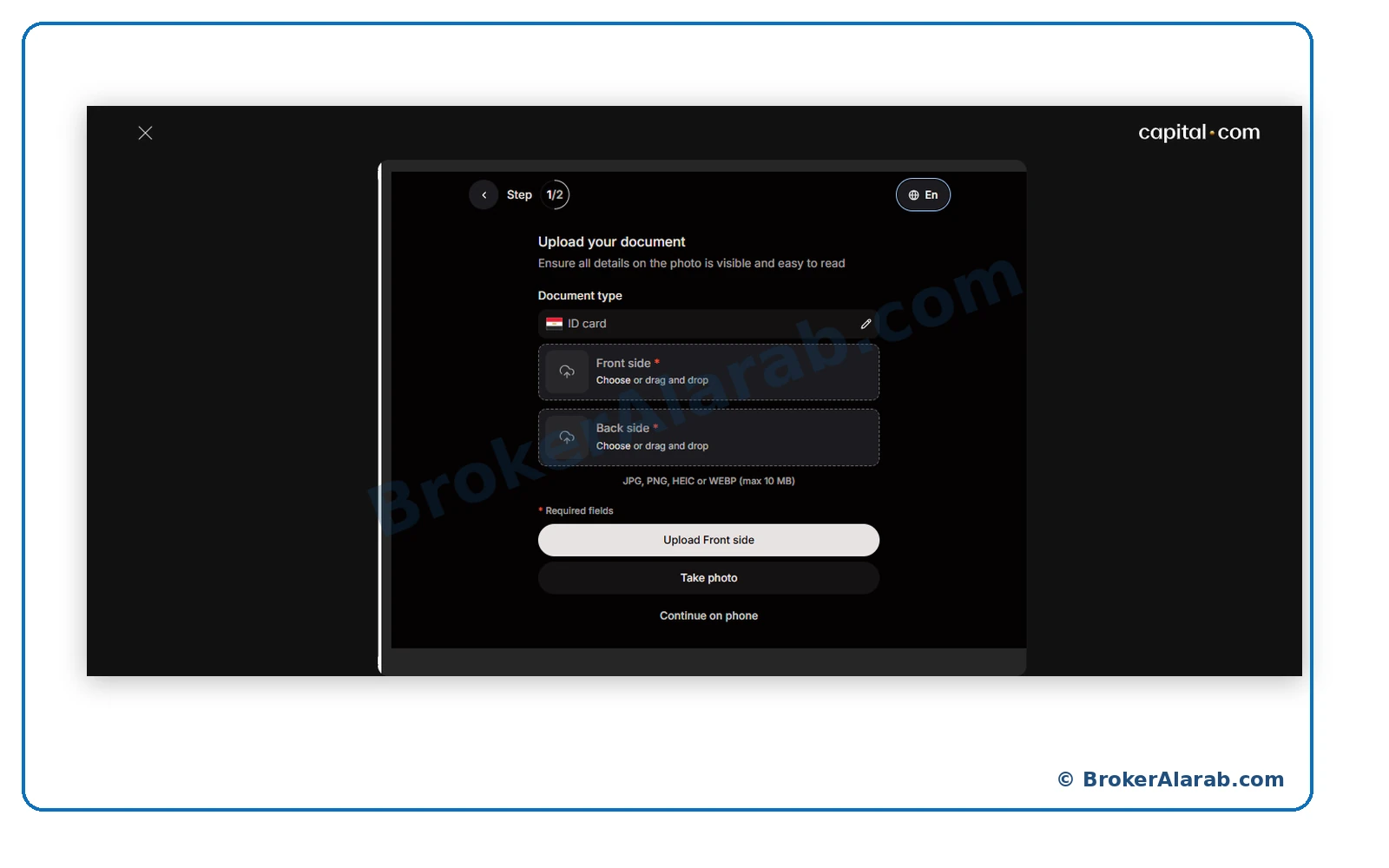
Check that each side shows a successful upload status and that the images are clear before moving to the next step.
If a live facial check is requested, ready your camera and follow the on-screen instructions for lighting and face position.
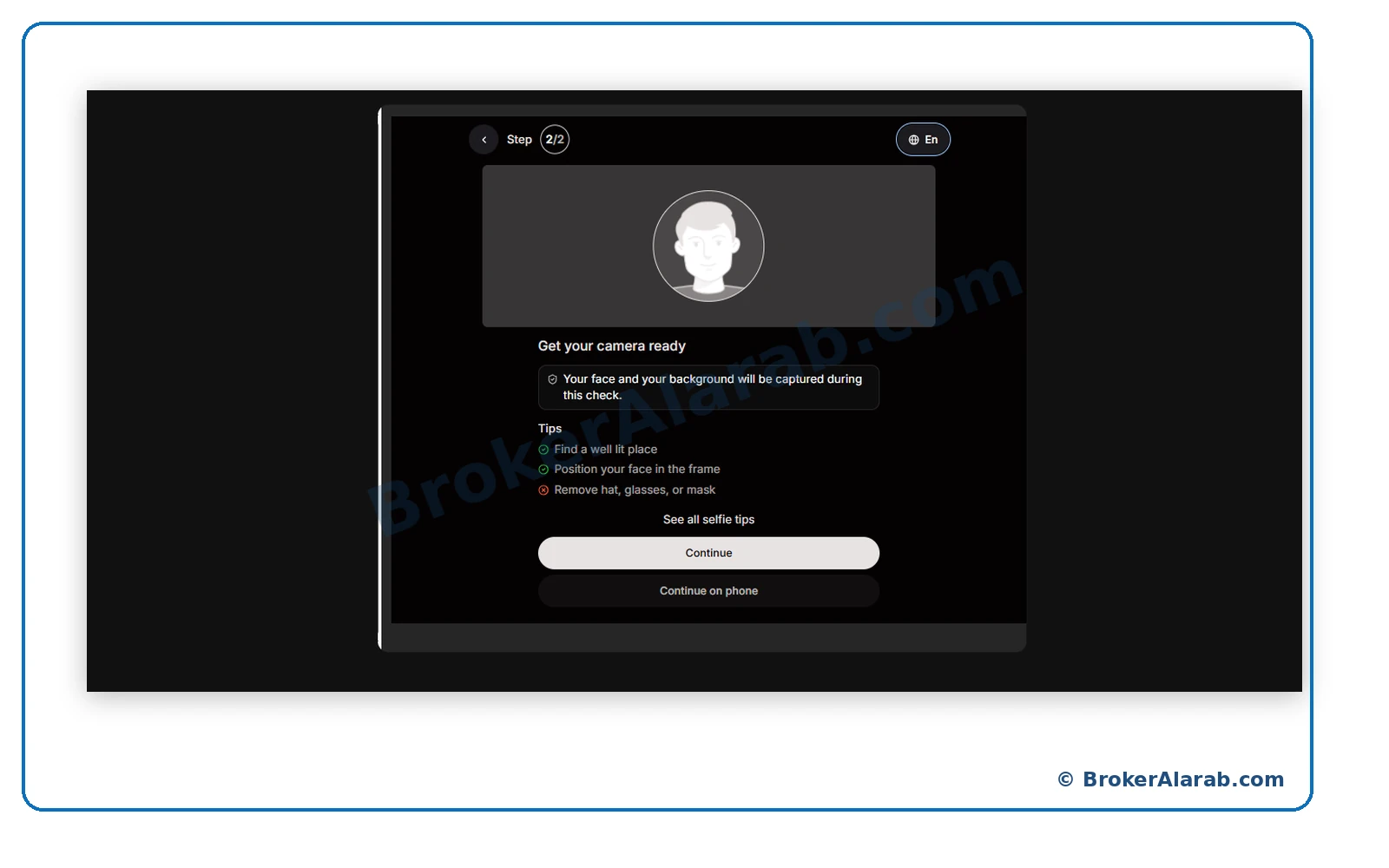
Only complete verification in the official portal.
Only complete verification in the official portal.
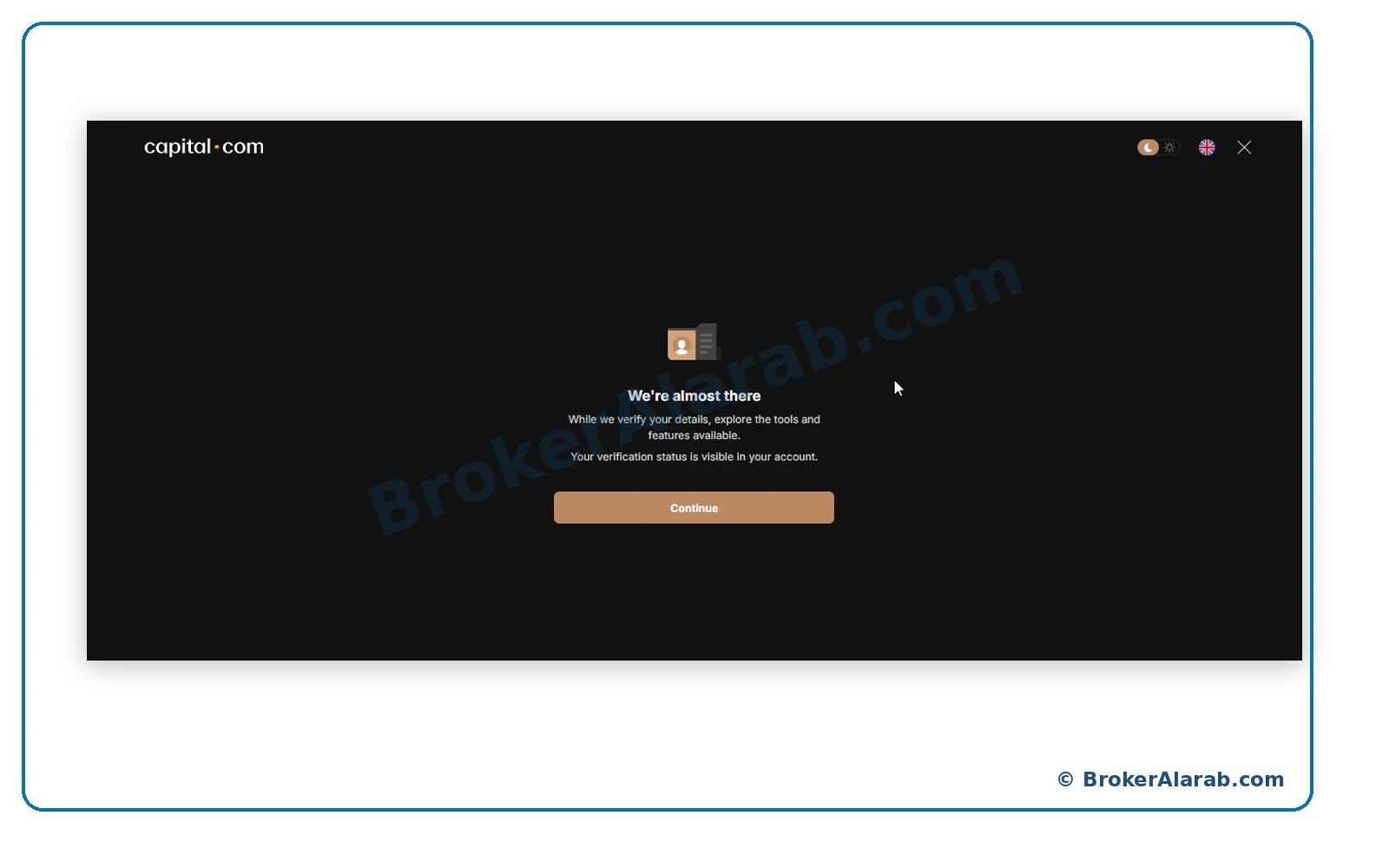
The application may show a pending-review notice after submission. Exploring the platform does not mean your account has been fully verified.
ACCOUNT OPENING STAGE
Review the platform menus for markets, charts, portfolio, and reports, and become familiar with the layout before placing any orders.
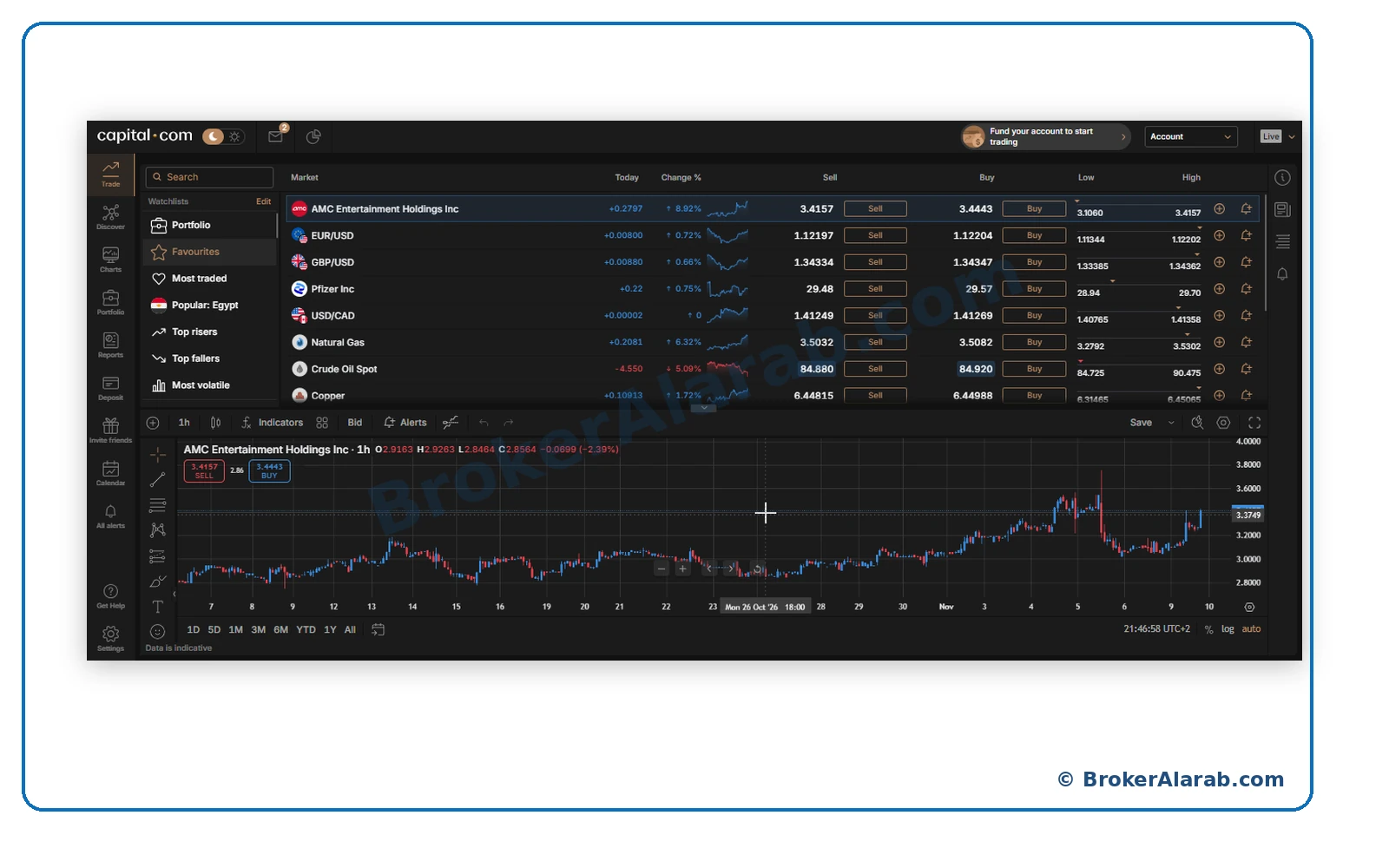
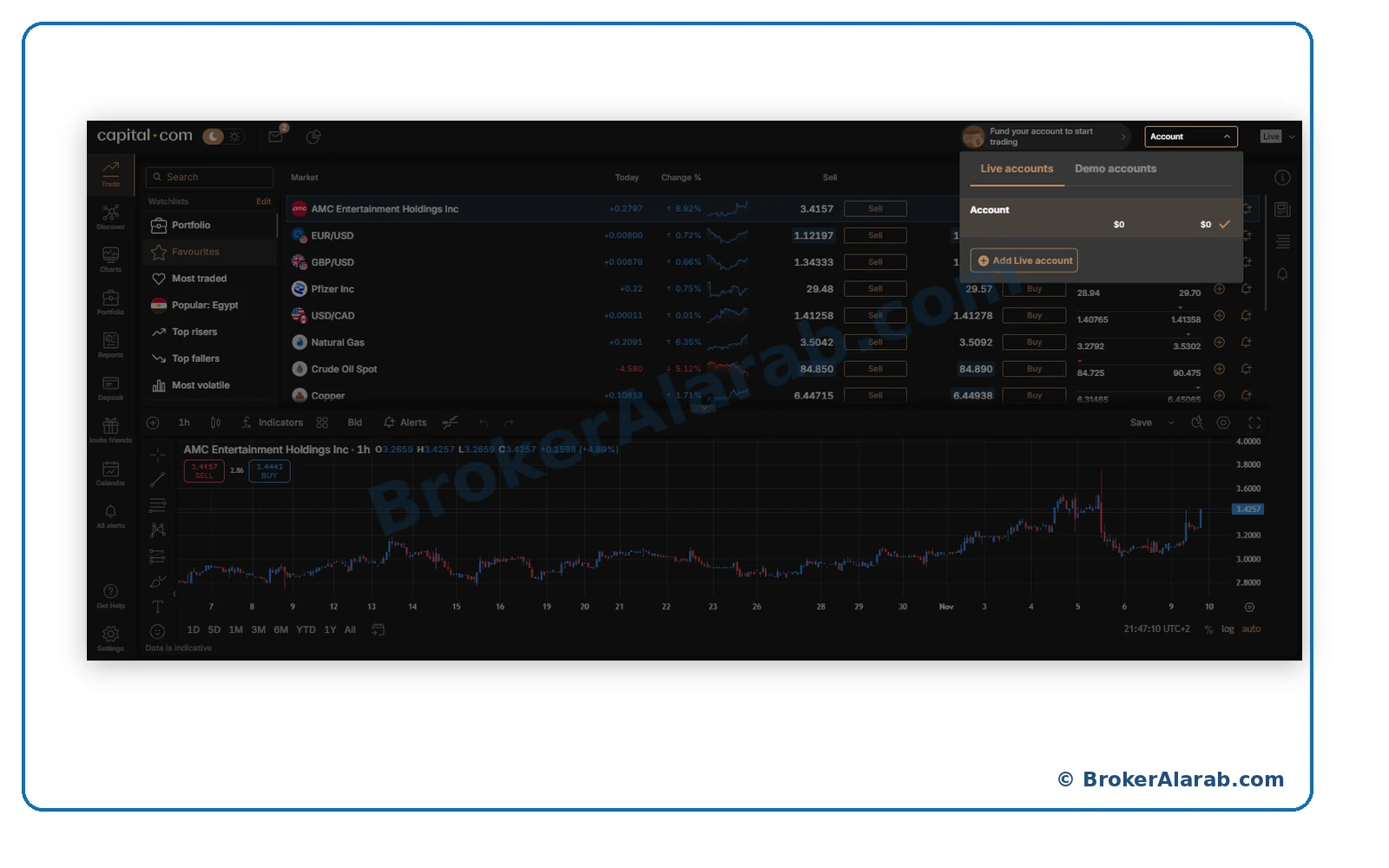
Use the account selector to view available live or demo accounts. Always confirm the account type before placing a trade.
The example illustrates a notification confirming account verification and possible funding. Wait for confirmation specific to your own account.
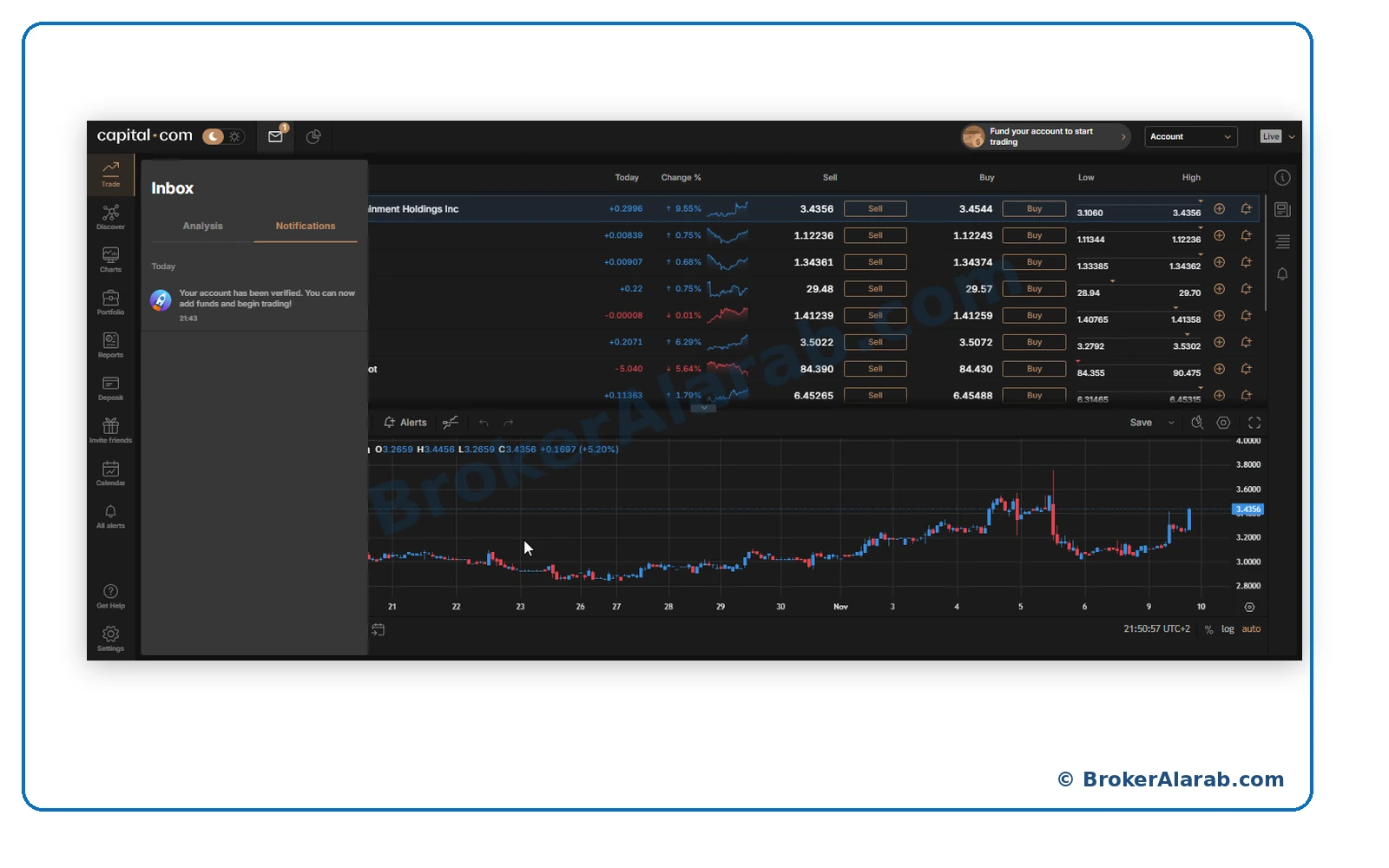
Wait for actual verification approval before funding.
Wait for actual verification approval before funding.
Check your profile, password, and two-factor authentication if available, then review deposit methods, terms, and risks before funding.
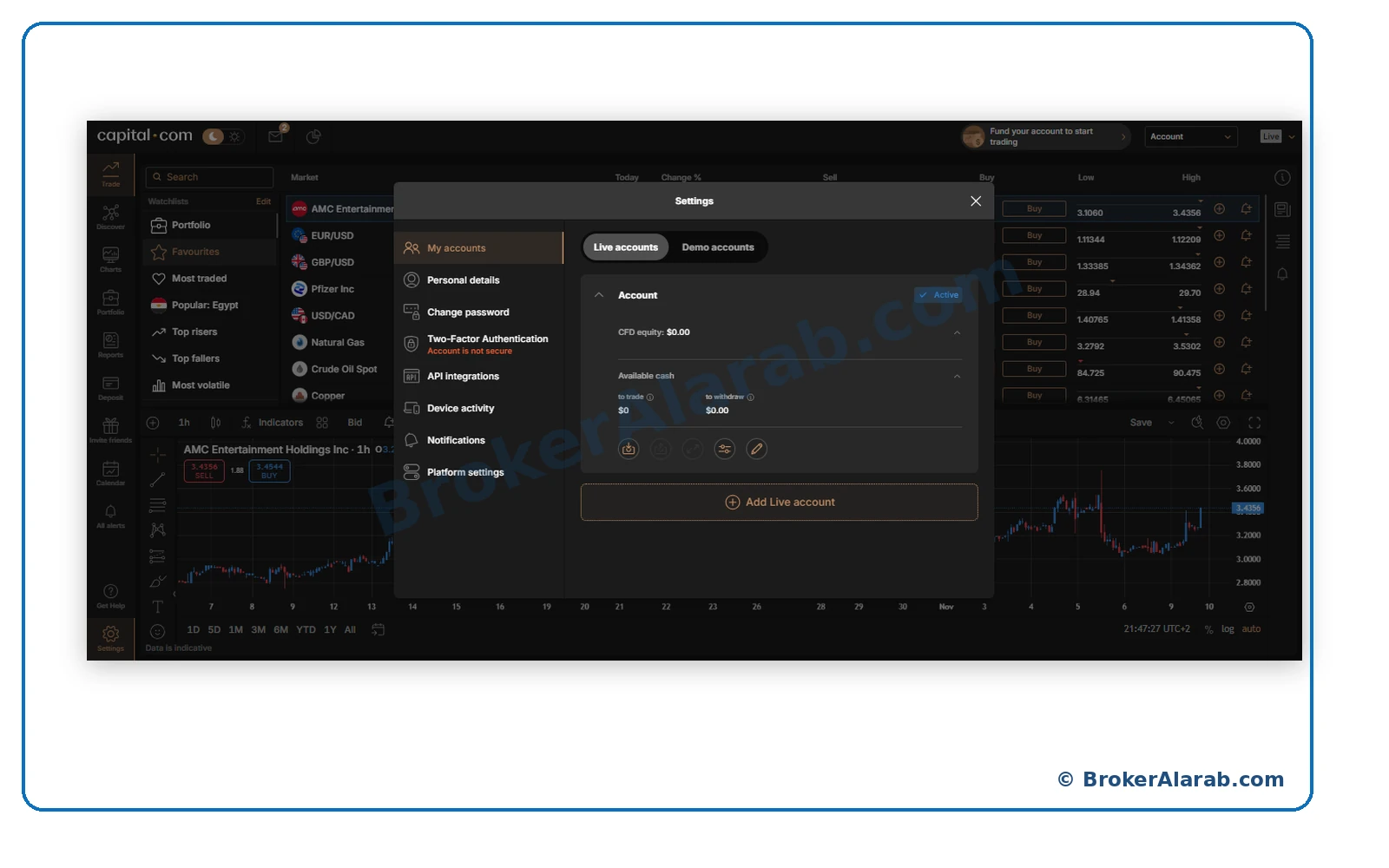
Leveraged CFD trading carries significant risk.
Leveraged CFD trading carries significant risk.
Once you understand registration, identity verification and trading account setup, you can visit the broker's registration page or review its trading conditions, costs and risks before deciding whether to proceed.
After completing registration, check your account status, verification requirements, trading conditions, and deposit options before trading with real funds.
Answers to common questions about registration, documents, verification and account setup.
Start on the official Capital.com website, enter your personal information, verify your email, complete the trading-experience and financial questionnaires, and submit any required identity documents. The process may vary by country and legal entity.
You may need an accepted passport, national identity card, or another eligible document, along with a facial verification check and proof of address if requested. Requirements depend on your country and the entity providing the service.
Verification times vary depending on document quality, completeness, and additional checks. Some applications may be reviewed quickly, while others require more time. Wait for confirmation before considering your account fully verified.
Capital.com offers demo trading in supported markets, allowing users to explore the platform and practise placing orders using virtual funds. Availability and features may vary by jurisdiction.
Explore its licenses, fees, account types and trading conditions in our full review.
Trading leveraged financial products involves a high level of risk and may result in the loss of capital. This guide and its screenshots are provided for educational purposes only and do not constitute investment advice or guarantee account approval. Registration, verification and documentation requirements may vary by country and broker. Read the broker's terms and risk disclosures before registering or depositing funds.